

Voice and Visual Search: How They Affect the Future of Learning Resources
Voice and visual search are transforming how learners discover, understand, and interact with educational content. This article explores how spoken queries and image-based search are shaping the future of learning resources, improving accessibility, personalization, and real-time understanding across digital education platforms.
A LEARNINGEDUCATION/KNOWLEDGEDIGITAL MARKETING
Kim Shin
1/25/20265 min read
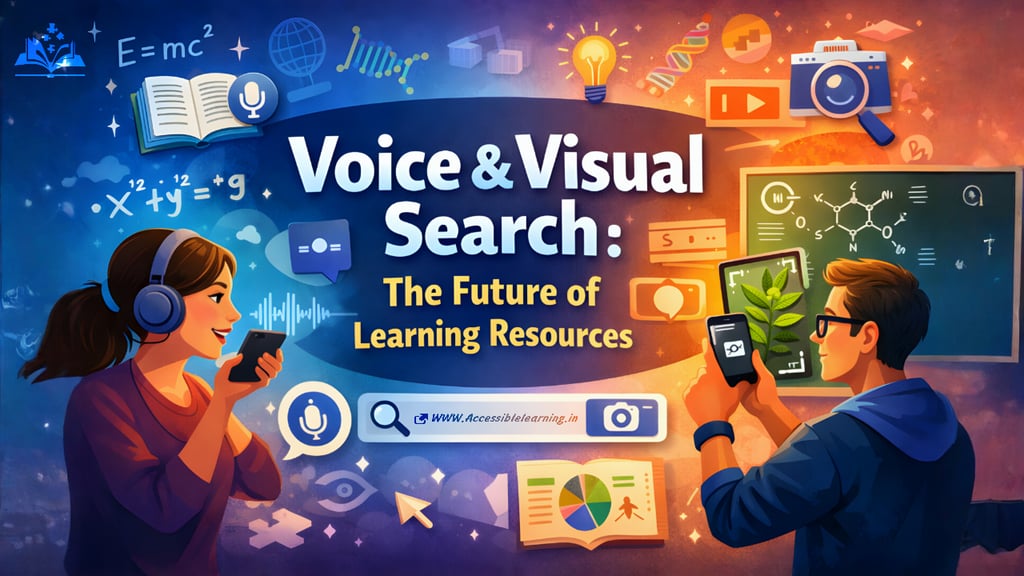
Search behavior is evolving from typing keywords to speaking questions and showing images. In education, this shift is especially powerful because learning is not linear. Students don’t always know the right words, but they do know what they’re confused about. Voice and visual search reduce that gap, making learning more immediate, contextual, and personal.
This change is not cosmetic. It affects how knowledge is discovered, structured, trusted, and remembered.
The evolution from keyword search to intent-based learning
Traditional search rewards exact phrasing. Learning does not work that way. Students think in doubts, not keywords.
Voice and visual search operate on intent recognition, not keyword matching. This allows learning systems to:
detect confusion, not just topic
infer difficulty level from phrasing
understand urgency (exam prep vs curiosity)
adapt explanations dynamically
This marks a shift from information retrieval to learning assistance.
How voice search aligns with natural learning behavior
1) Spoken questions reveal deeper intent
Typed queries are often short and vague. Voice queries are longer and more specific:
“Why does this formula work instead of that one?”
“Explain this concept with a real-life example.”
“I don’t understand step three; can you explain it again?”
Learning resources optimized for voice must focus on reasoning, not just outcomes.
2) Conversational follow-ups create adaptive learning paths
Voice search encourages follow-up questions:
“Can you simplify that?”
“Give me another example.”
“Test me on this.”
Future learning platforms will chain these questions into microlearning paths without forcing learners to navigate menus or chapters.
3) Voice search supports thinking out loud
Many learners process ideas verbally. Voice search allows:
self-explanation (a proven learning method)
concept clarification during revision
reflective learning through dialogue
This benefits students who struggle with silent reading or traditional note-taking.
4) Multilingual and accent-inclusive learning
Voice search enables learning in native languages and mixed-language queries:
English + Hindi
regional pronunciation
informal grammar
This is crucial in global and developing education systems, where language barriers block access to quality resources.
5) Voice-driven revision and recall
Voice assistants can support:
oral quizzes
definition recall
spaced repetition
exam-day revision prompts
Learning resources will increasingly include voice-first revision modules instead of only written notes.
How visual search reshapes understanding and problem-solving
1) Learning starts from observation, not explanation
Visual search lets learners start with what they see:
a confusing diagram
a solved example
a handwritten mistake
a real-world object
This mirrors how humans naturally learn: observe first, explain later.
2) Error detection becomes a learning tool
Scanning handwritten math or diagrams allows systems to:
detect where reasoning breaks
identify conceptual misunderstandings
suggest targeted corrections
This shifts visual search from “answer lookup” to diagnostic learning support.
3) Visual search strengthens spatial and visual intelligence
Subjects like
geometry
engineering
biology
geography
architecture
benefit heavily from visual-first explanations. Future resources will link:
diagrams → concepts
shapes → formulas
images → principles
instead of treating visuals as secondary aids.
4) Learning from physical environments
Visual search turns everyday surroundings into learning spaces:
scan a machine to understand how it works
identify plants, tools, or materials
explore historical artifacts outside textbooks
This promotes experiential and applied learning, not memorization.
5) Visual literacy becomes a core skill
As visual search grows, learners must be taught how to:
interpret diagrams critically
recognize misleading visuals
differentiate illustrative images from factual ones
Learning resources will need to teach how to read visuals, not just show them.

Combined impact: voice + visual = contextual intelligence
When voice and visual search work together, learning becomes contextual:
Show the problem
Ask the question
Receive explanation tailored to that exact context
This reduces cognitive overload and increases retention.
Example flow:
Scan a physics diagram
Ask, “Why is force applied in this direction?”
Get a visual explanation with narration
Practice similar problems
Receive feedback
This is far closer to human tutoring than traditional search.
How learning resources will be structured in the future
1) Modular, not linear content
Instead of chapters, content will be organized as:
concepts
questions
misconceptions
examples
practice units
Each module must work independently for voice and visual discovery.
2) Context-aware difficulty scaling
Future systems will adjust:
explanation depth
vocabulary level
example complexity
based on how the learner asks or what they scan.
3) Knowledge graphs over pages
Learning resources will rely on interconnected concepts rather than isolated articles. This allows AI systems to:
connect related topics
suggest prerequisites
prevent fragmented understanding
4) Real-time feedback loops
Visual and voice inputs allow systems to:
pause when confusion is detected
rephrase explanations
suggest alternate approaches
This creates adaptive learning without manual navigation.
SEO and AI optimization for future-ready learning content
1) Optimize for spoken language, not textbook language
Use:
natural phrasing
simple sentence structures
direct answers followed by depth
This improves voice search and AI extraction accuracy.
2) Build “answer-first” content blocks
Each key section should include:
a clear 2–3 line answer
expanded explanation
example
summary
This structure supports voice assistants, featured snippets, and AI summaries.
3) Use descriptive visual metadata
For every visual element:
accurate alt text
meaningful captions
concept-linked explanations nearby
This enables visual search systems to understand educational intent.
4) Anticipate learner follow-up questions
Add sections like
“Why students get this wrong”
“If this still feels confusing”
“What to learn next”
These align with conversational search patterns.
5) Optimize for trust and authority
Learning content must show:
clear explanations
logical steps
updated information
academic clarity without intimidation
Trust will matter more than ranking.
Ethical and cognitive considerations
Preventing shallow learning
Instant answers must be paired with:
reasoning
explanation
reflection prompts
Otherwise, voice and visual search risk creating passive learners.
Data privacy and learner safety
Education platforms must protect:
student images
voice recordings
classroom content
minors’ data
Transparency will be non-negotiable.
Avoiding over-personalization
While personalization helps, learners must also be:
challenged
exposed to alternative explanations
encouraged to think independently


The long-term impact on education systems
Curriculum design will include voice and visual literacy
Assessments will focus more on reasoning than recall
Teachers will act more as guides than information sources
Learning will extend beyond classrooms into daily life
Voice and visual search are not replacing reading or studying. They are removing friction between curiosity and understanding.
The future of learning resources lies in being:
easy to ask
easy to see
easy to understand
hard to misunderstand
Platforms and creators who design for human questions, visual thinking, and contextual clarity will define the next generation of education.
FAQ's
Q: What is voice search in online learning?
Voice search in online learning allows students to ask questions aloud instead of typing. It helps learners get instant explanations, definitions, and step-by-step guidance using natural language, making learning faster and more accessible.
Q: How does visual search help students learn better?
Visual search helps students learn by allowing them to scan images, diagrams, equations, or handwritten notes to get explanations. It supports better understanding in subjects like math, science, engineering, and geography, where visuals are critical.
Q: Is visual search making students dependent on instant answers?
Visual search can create dependency if used only to get answers. However, when designed with guided steps, explanations, and practice questions, it actually improves understanding and problem-solving skills.
Q: Which subjects benefit the most from voice and visual search?
Subjects with complex explanations and visuals benefit the most, including mathematics, physics, chemistry, biology, geography, engineering, medicine, language learning, and history.
Q: How will voice search change the way educational content is created?
Voice search will push educators and creators to write content in a question-and-answer format, use simple explanations, add conversational language, and structure lessons around real student doubts instead of textbook-style chapters.
Q: Are voice and visual searches useful for self-learning students?
Yes, they are especially helpful for self-learners because they reduce confusion, provide instant feedback, support revision, and allow learners to study at their own pace without needing constant teacher support.
Q: Can voice and visual search support multilingual learning?
Yes. Voice search allows learners to ask questions in their native language or mixed languages, while visual search removes language barriers by letting learners search using images instead of words.
Q: Do voice and visual searches improve accessibility in education?
They significantly improve accessibility for learners with visual impairments, reading difficulties, motor challenges, or learning differences by offering alternative ways to access educational content.
Q: How can teachers use voice and visual search effectively in classrooms?
Teachers can use these tools for concept explanation, live problem-solving, visual demonstrations, revision sessions, and to encourage students to ask better questions rather than memorizing answers.
Q: Will voice and visual search replace traditional learning methods?
No. They will complement traditional learning by making knowledge easier to access and understand. Reading, writing, and critical thinking will remain essential parts of education.
Subscribe to Frontier Intelligence
All © Copyright reserved by Accessible-Learning Hub
| Terms & Conditions
Accessible Learning Hub — Actionable clarity for high-agency minds.
Weekly breakdowns on AI breakthroughs, capital flow, and human performance systems. Zero fluff.