

The "One-Person Agency" Stack: No-Code Autonomous Agents
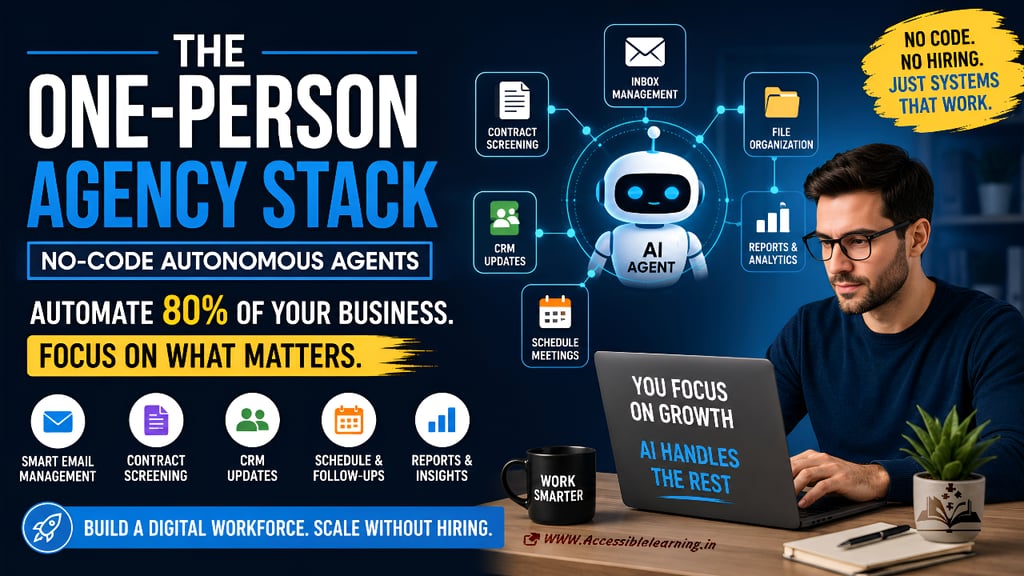
Most freelancers are using AI as a chatbot. Smart operators are using no-code autonomous agents to automate emails, CRM updates, client onboarding, contract screening, and other repetitive tasks. Learn how to build a one-person agency stack that handles up to 80% of your back-office operations without writing code.
AI ASSISTANTENTREPRENEUR/BUSINESSMANDIGITAL MARKETINGEDUCATION/KNOWLEDGE
Sachin K Chaurasiya | Shiv Singh Rajput
6/17/20266 min read
Stop Chatting with AI. Start Delegating to It.
Most freelancers and small business owners are using AI like a calculator. They open ChatGPT, ask a question, copy the answer, and move on. That approach already feels outdated.
The next wave isn't about getting better answers from AI. It's about assigning AI entire responsibilities and letting it execute work on your behalf.
While most people are still debating prompt formulas and collecting prompt libraries, a smaller group has moved on. They're building autonomous workflows that screen client emails, organize contracts, update CRMs, create reports, schedule meetings, generate proposals, and manage repetitive tasks automatically.
Without coding.
Without hiring staff.
Without building software.
This is the rise of the One-Person Agency Stack.
And it is changing how modern freelancers, consultants, creators, and service businesses operate.
What Is a One-Person Agency?
A one-person agency is exactly what it sounds like. One individual delivers services that traditionally required multiple employees.
Instead of hiring:
An assistant
A project coordinator
An operations manager
A customer support representative
A data entry specialist
You use software, automation, and AI agents to handle those responsibilities. The goal is not to work harder. The goal is to remove yourself from work that does not require your expertise.
Your value comes from strategy, creativity, decision-making, and client relationships. Everything else becomes a candidate for automation.
The Real Problem Is Not Client Work
Most freelancers assume their biggest challenge is delivering projects. Usually, that is not true. The biggest problem is operational drag.
Every day is filled with tasks like the following:
Checking emails
Following up with leads
Updating spreadsheets
Organizing files
Sending invoices
Managing calendars
Creating reports
Tracking project status
Updating CRM records
Reviewing contracts
Individually, these tasks seem small. Collectively, they consume hours every week. The hidden cost is attention.
Every administrative interruption forces you to switch contexts.
That context switching destroys productivity.
AI agents eliminate much of this friction.
What Is a No-Code Autonomous Agent?
A no-code autonomous agent is an AI-powered workflow that performs tasks with minimal human intervention.
Unlike a simple automation, an agent can:
Read information
Interpret context
Make decisions
Trigger actions
Communicate with other tools
Traditional automation follows strict rules.
Example:
"If a new lead arrives, send an email."
An AI agent can go further:
Read the lead inquiry.
Determine service interest.
Evaluate budget fit.
Categorize urgency.
Update CRM.
Draft a personalized response.
Schedule a meeting.
Notify the owner only if intervention is required.
That is not automation. That is delegation.

The Core Components of a One-Person Agency Stack
Think of your stack as a digital workforce. Each tool becomes a specialized employee.
1. AI Brain
This is the reasoning layer. Examples include:
The AI brain handles:
Analysis
Decision-making
Content generation
Summarization
Classification
It becomes the thinking component of the system.
2. Workflow Automation Layer
This is where actions happen. Popular options include:
These tools connect applications together.
For example:
Email → AI Analysis → CRM Update → Slack Notification
No coding required.
3. Knowledge Storage
Agents need memory. Common storage solutions include:
These act as operational databases.
They store:
Client records
Project information
Standard operating procedures
Templates
Historical data
Without memory, agents remain limited. With memory, they become significantly more useful.
4. Communication Layer
Your business communicates through:
Email
Forms
Chat
CRM systems
AI agents monitor these channels continuously. Instead of manually checking inboxes every hour, the system processes information automatically.
How to Automate Client Email Management
Email is often the biggest productivity killer. Many business owners spend hours every week sorting messages. An autonomous email workflow can:
Step 1: Read Incoming Emails
The agent analyzes:
Sender
Subject
Intent
Urgency
Step 2: Categorize Automatically
Examples:
New lead
Existing client
Invoice request
Support issue
Spam
Step 3: Execute Actions
Depending on category:
Update CRM
Create project task
Schedule meeting
Generate draft response
Escalate important messages
Instead of opening 100 emails, you may only need to review 10.
How to Automate Contract Screening
Most freelancers repeatedly review similar contracts. AI agents can perform the first review. The workflow:
Contract uploaded.
AI extracts terms.
Agent identifies:
Payment terms
Scope clauses
Liability sections
Cancellation policies
Risk summary generated.
Important clauses highlighted.
This doesn't replace legal advice. It removes the tedious first pass. You focus only on areas requiring judgment.
How to Automate CRM Updates
Most CRM systems fail for one reason:
People forget to update them.
AI agents solve this problem automatically.
Example workflow:
Client meeting ends.
Meeting transcript generated.
Agent extracts key information.
CRM records updated automatically.
Follow-up tasks created.
Next actions assigned.
The CRM stays current without manual data entry.

The Highest-Leverage Automations for Freelancers
If you're starting from zero, automate these first.
Lead Qualification
The agent evaluates:
Budget
Timeline
Project fit
Industry
Unqualified leads never reach your calendar.
Proposal Generation
The agent can:
Analyze client requirements
Pull pricing data
Build proposal drafts
Generate scope documents
Review and send.
Meeting Summaries
After every call:
Transcript generated
Action items extracted
Notes organized
CRM updated
Nothing gets lost.
Client Onboarding
Once a contract is signed:
Welcome email sent
Folder created
Project workspace generated
Tasks assigned
Documents collected
No manual setup required.
Invoicing Workflows
Agents can:
Monitor project milestones
Trigger invoices
Send reminders
Track payment status
Cash flow improves because follow-ups happen consistently.
The 80/20 Rule of AI Operations
Most business owners automate the wrong things.
They chase complicated workflows before fixing obvious inefficiencies.
Focus on repetitive tasks that meet three conditions:
High Frequency
Occurs daily or weekly.
Low Creativity
Requires little strategic thinking.
Rule-Based Decision Making
Can be described with clear instructions. Those are ideal automation targets.
Do not automate:
Client strategy
Negotiation
Relationship building
Creative direction
Critical business decisions
AI should remove administrative weight. Not replace expertise.
The Biggest Mistake People Make
Many users try to automate everything immediately. That approach usually fails.
Before building agents:
Document your workflow.
Ask:
What do I repeat every day?
What decisions follow predictable patterns?
What tasks generate zero revenue?
What activities drain energy?
Only then should automation begin.
Bad processes automated become faster bad processes.
Good processes automated become scalable systems.
The Future Belongs to Operators, Not Prompt Engineers
The internet is flooded with prompt hacks.
Prompt collections.
Prompt marketplaces.
Prompt tutorials.
Most of them miss the larger opportunity.
The future is not asking AI for better answers.
The future is assigning AI better responsibilities.
The winners will not be the people who write the cleverest prompts.
The winners will be the people who build systems that work while they sleep.
A freelancer who can manage twenty clients with autonomous workflows will outperform a freelancer who spends half the day answering emails.
A consultant who delegates repetitive operations to AI will move faster than a consultant who manually manages every task.
The gap is already forming.
One group is chatting with AI.
The other is building a digital workforce.
Only one of those groups is creating leverage.


The One-Person Agency Stack is not about replacing humans. It is about eliminating unnecessary human effort.
For freelancers, solopreneurs, and small business owners, the opportunity is straightforward:
Use AI for repetitive execution.
Reserve your time for decisions, creativity, and growth.
The technology already exists.
The tools require little or no code.
The barrier is no longer technical skill.
The barrier is continuing to do work that software can do for you.
Stop treating AI like an assistant waiting for instructions.
Start treating it like a team member with responsibilities.
FAQ's
Q: What is a one-person agency?
A one-person agency is a business model where a single freelancer, consultant, or entrepreneur uses automation, AI tools, and systems to perform tasks that traditionally required a team. This allows one person to manage clients, operations, marketing, and administration more efficiently.
Q: What are no-code autonomous agents?
No-code autonomous agents are AI-powered workflows that can analyze information, make decisions, and perform actions automatically without requiring programming skills. They can handle tasks such as email management, CRM updates, lead qualification, and client onboarding.
Q: How can AI agents help freelancers save time?
AI agents can automate repetitive tasks like sorting emails, generating proposals, updating CRMs, scheduling meetings, creating reports, and following up with leads. This reduces manual work and allows freelancers to focus on higher-value activities.
Q: What tasks should I automate first in my business?
The best tasks to automate are repetitive, rule-based, and time-consuming. Common starting points include email management, lead qualification, appointment scheduling, client onboarding, invoicing, and CRM data entry.
Q: Do I need coding skills to build autonomous AI workflows?
No. Modern no-code automation platforms allow users to create powerful AI workflows through visual interfaces. Most freelancers and small business owners can build useful automations without writing a single line of code.
Q: Can AI agents replace virtual assistants or employees?
AI agents can handle many administrative and operational tasks, but they do not replace human expertise, creativity, strategic thinking, or relationship building. They work best as digital assistants that reduce repetitive workloads.
Q: What are the best no-code tools for building AI agents?
Popular no-code automation tools include Zapier, Make, n8n, Airtable, Notion, ChatGPT, Claude, and Gemini. These platforms can be connected to create automated workflows across multiple business systems.
Q: How much of a business can realistically be automated with AI?
Many freelancers and small businesses can automate 60% to 80% of repetitive operational work. The exact percentage depends on how standardized and process-driven the business is.
Q: Are autonomous AI agents safe for handling client data?
They can be safe when configured correctly and used with trusted platforms that provide security, privacy controls, and compliance features. Businesses should always review sensitive information policies before automating workflows.
Q: What is the difference between AI automation and AI agents?
Traditional automation follows predefined rules and workflows. AI agents go further by understanding context, making decisions, interpreting data, and adapting actions based on the information they receive.
Subscribe To Our Newsletter
All © Copyright reserved by Accessible-Learning Hub
| Terms & Conditions
Knowledge is power. Learn with Us. 📚

