

MidJourney 7 vs 8: Full Comparison, Features, and Key Differences!
MidJourney 7 vs 8 explained in detail. Compare features, speed, prompt accuracy, text rendering, and real-world use cases to find which version is best for creators and designers in 2026.
AI/FUTUREEDITOR/TOOLSAI ART TOOLSARTIST/CREATIVITY
Sachin K Chaurasiya
4/1/20265 min read
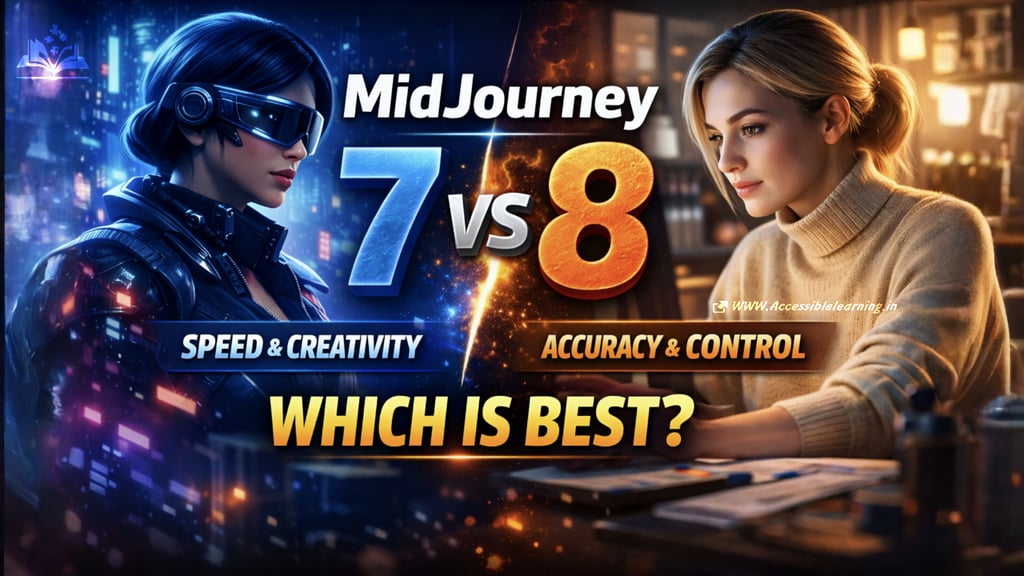
AI image generation is evolving fast, but the jump from MidJourney Version 7 to Version 8 is more than a routine upgrade. It reflects a clear shift from creative exploration toward precision-driven design workflows. If Version 7 helped you generate ideas quickly, Version 8 is designed to help you execute them with control. Here’s a deeper, more complete breakdown.
What is MidJourney (Quick Context)
MidJourney is an AI image generation tool that converts text prompts into high-quality visuals. It’s used across industries for concept art, branding, marketing creatives, product visualization, and storytelling.
Over time, it has evolved from a Discord-based tool into a more structured creative platform with better editing, control, and workflow features.
MidJourney V7 Overview
Version 7 focused on speed, realism, and creative flexibility. It made the tool significantly more usable for rapid ideation and visual exploration.
Core Strengths of MidJourney V7
1. Draft Mode (Rapid Iteration Engine)
Draft Mode allows users to generate images extremely fast, making it ideal for:
Brainstorming concepts
Exploring variations
Testing prompt ideas quickly
This is one of the biggest productivity boosts introduced in V7.
2. Style Personalization
Users can train the model based on their visual preferences. Over time, the AI adapts to:
Color palettes
Composition styles
Artistic direction
This reduces the need to repeat long prompts and improves consistency.
3. Advanced Reference Handling
V7 allows combining multiple references such as:
Style references
Character references
Composition cues
This results in more structured and visually coherent outputs.
4. Improved Natural Language Understanding
You can write prompts more naturally, and the AI still understands intent. This lowers the learning curve for beginners while giving experts more flexibility.
5. High Visual Quality
Version 7 delivers strong results in:
Photorealism
Lighting and shadows
Texture details
Depth and perspective
6. Creative Modes and Variations
Users can experiment using different modes like:
Remix mode
Stylization controls
Chaos settings
These help push creative boundaries and generate unexpected results.
7. Early Motion and Video Direction
Although limited, V7 introduced experimental ways to extend images into motion, hinting at future expansion into video generation.
Limitations of V7 (Important to Know)
Even with its strengths, V7 has clear gaps:
Text rendering is unreliable
Precise edits are difficult (small changes often affect the whole image)
Character consistency across multiple images is inconsistent
Over-stylization can override prompt intent
Not ideal for production-level design work
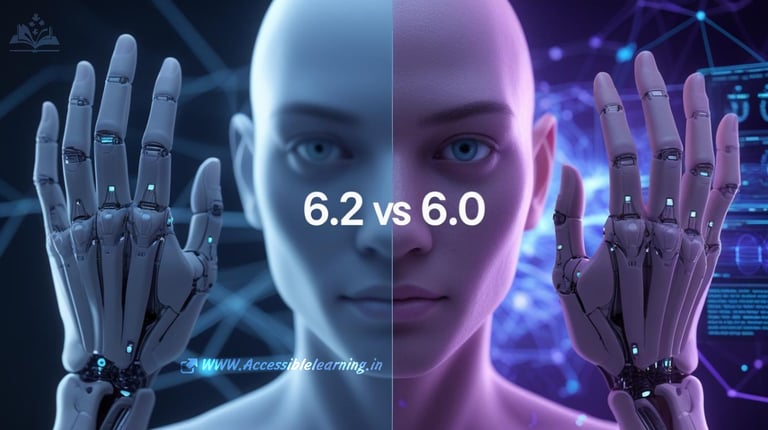
MidJourney V8 Overview
Version 8 is built to address these limitations and push MidJourney toward becoming a serious creative production tool, not just an idea generator.
Core Improvements in MidJourney V8
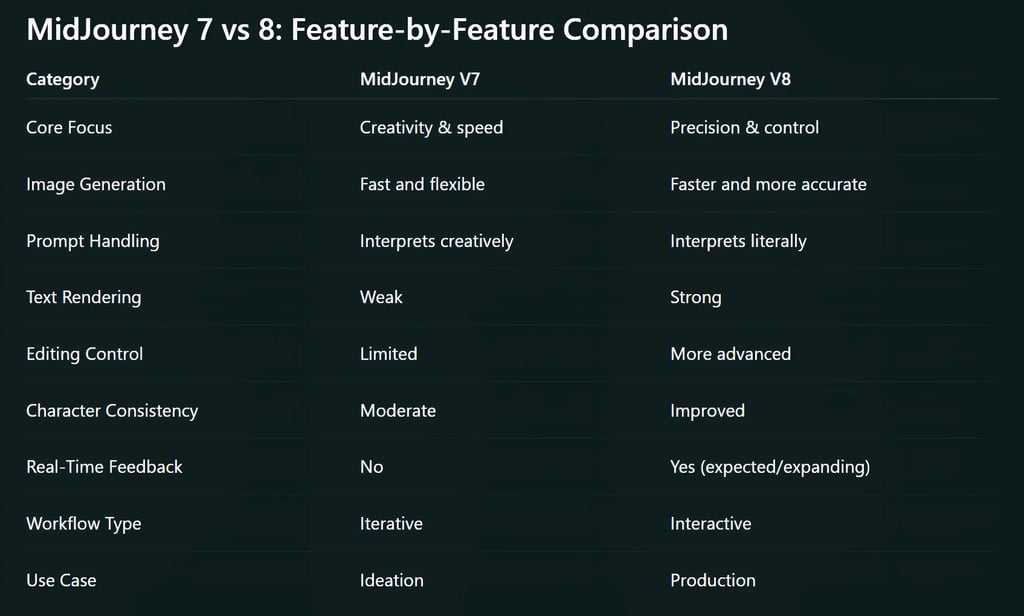
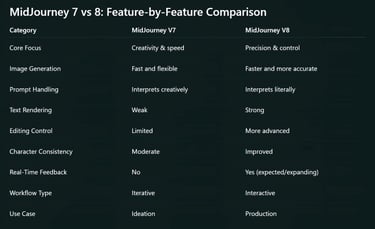
1. Accurate Text Generation
One of the most important upgrades:
Text inside images becomes readable and usable
Essential for ads, posters, UI mockups, and branding
2. Much Better Prompt Control
V8 reduces guesswork. What you describe is closer to what you get:
Better object placement
Clearer scene structure
Less randomness
3. Real-Time Rendering Experience
Instead of waiting for a final image, users can:
See the image build progressively
Adjust prompts mid-generation
This brings MidJourney closer to tools like design software rather than batch generators.
4. Improved Consistency (Characters & Scenes)
Version 8 improves:
Character identity across images
Pose consistency
Object stability in sequences
This is critical for storytelling and branding.
5. More Reliable Anatomy and Physics
Common issues like:
Broken hands
Distorted faces
Unrealistic proportions
are significantly reduced in V8.
6. Layered and Local Editing (Emerging Capability)
V8 is moving toward more precise editing:
Adjust specific parts of an image
Modify elements without regenerating everything
This is a major step toward professional workflows.
7. Performance Optimization
Version 8 is designed to:
Generate faster results at higher quality
Use resources more efficiently
Scale better for heavy usage
8. Lightweight Model Variant
A smaller version of the model allows:
Faster previews
Lower compute requirements
Better accessibility for more users
Deeper Insight: Workflow Differences
Working with V7
You generate multiple variations
Pick the best result
Refine through repetition
This process is creative but time-consuming when precision is needed.
Working with V8
You guide the output more directly
Make targeted adjustments
Get closer to the final result faster
This reduces trial-and-error significantly.
Use Case Breakdown
Best Use Cases for V7
Concept art
Mood boards
Social media visuals
Experimental designs
Creative exploration
Best Use Cases for V8
Marketing creatives
Ad designs
UI/UX mockups
Branding assets
Story-driven visuals with consistency
Impact on Designers and Creators
For Designers
V8 reduces dependency on external tools by offering:
Better control
More predictable outputs
Cleaner results
For Content Creators
Faster production cycles
More usable outputs without heavy editing
Better storytelling consistency
For Businesses
More reliable AI-generated assets
Reduced design turnaround time
Improved brand consistency

MidJourney Version 7 made AI image generation powerful and accessible. It helped creators think faster and explore more ideas.
Version 8 builds on that foundation but shifts the focus toward execution. It’s less about generating beautiful randomness and more about delivering exactly what you need.
If V7 feels like collaborating with an artist, V8 feels like directing a skilled designer. That difference will define how AI tools are used in real-world creative work going forward.
FAQ's
Q: What is the main difference between MidJourney V7 and V8?
The main difference is focus. MidJourney V7 emphasizes speed and creative exploration, while V8 focuses on precision, control, and more accurate outputs. V8 is designed to produce results that match prompts more closely, making it better for professional use.
Q: Is MidJourney V8 better than V7 for professional design work?
Yes, MidJourney V8 is more suitable for professional work. It offers improved text rendering, better prompt accuracy, and more consistent results, which are essential for branding, advertising, and UI design.
Q: Does MidJourney V8 fix text rendering issues?
Yes, one of the biggest improvements in V8 is significantly better text rendering. Unlike V7, which often produces distorted or unreadable text, V8 generates cleaner and more usable typography within images.
Q: Which version is faster: MidJourney V7 or V8?
MidJourney V7 introduced Draft Mode for very fast previews, but V8 is optimized overall for faster and more efficient generation, especially at higher quality levels. V8 also introduces real-time preview capabilities, which changes how speed is experienced.
Q: Is MidJourney V8 more accurate with prompts?
Yes, V8 is designed to interpret prompts more literally. This reduces randomness and gives users better control over composition, object placement, and overall output.
Q: Can MidJourney V8 maintain character consistency better than V7?
Yes, V8 improves character and scene consistency across multiple images. This makes it more reliable for storytelling, branding, and multi-image projects.
Q: Is MidJourney V7 still useful after V8?
Absolutely. V7 is still valuable for brainstorming, experimentation, and generating creative variations quickly. Many creators may continue using V7 for ideation and V8 for final outputs.
Q: Does MidJourney V8 support real-time image generation?
Yes, one of the expected and evolving features in V8 is real-time or progressive image generation. This allows users to see images develop and make adjustments during the process.
Q: Which version is better for beginners?
MidJourney V7 is slightly more beginner-friendly for creative exploration because it allows more flexibility and experimentation. However, V8 may be easier for beginners who want predictable and controlled results.
Q: Should I switch to MidJourney V8 immediately?
If your work requires accuracy, clean text, and consistent results, switching to V8 is a good decision. However, if you focus on creative exploration and idea generation, you may benefit from using both versions together.
Q: Is MidJourney V8 more cost-efficient than V7?
V8 is expected to be more optimized in terms of performance and resource usage, which can make it more cost-efficient over time, especially for users generating large volumes of images.
Q: What type of users benefit the most from MidJourney V8?
Designers, marketers, content creators, and businesses benefit the most from V8 due to its improved control, reliability, and suitability for real-world creative production.
Subscribe to Frontier Intelligence
All © Copyright reserved by Accessible-Learning Hub
| Terms & Conditions
Accessible Learning Hub — Actionable clarity for high-agency minds.
Weekly breakdowns on AI breakthroughs, capital flow, and human performance systems. Zero fluff.