

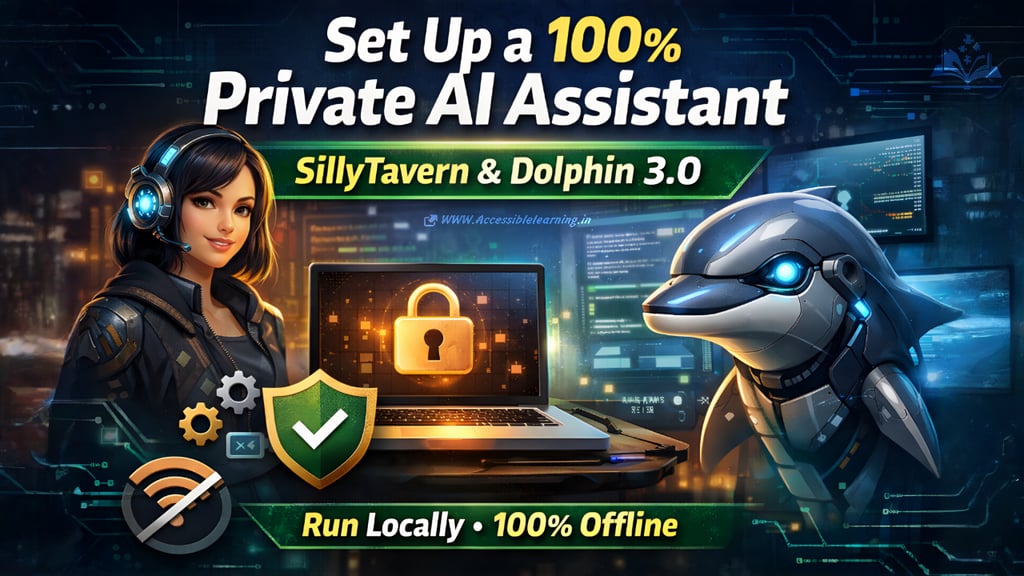
How to Set Up a 100% Private AI Assistant Using SillyTavern and Dolphin 3.0
Learn how to set up a fully private AI assistant using SillyTavern and Dolphin 3.0. This step-by-step guide explains how to run a powerful local AI on your own computer with complete privacy, customization, and offline capability.
AI ASSISTANTA LEARNINGAI/FUTUREEDITOR/TOOLS
Sachin K Chaurasiya
3/14/20268 min read
Artificial intelligence is quickly becoming part of everyday work. People use AI for writing, brainstorming, coding, research, and creative projects. The catch is that most AI assistants run on cloud servers. Your prompts are sent to remote systems, processed somewhere else, and sometimes stored.
For many users, that raises an obvious question: what if you want a powerful AI assistant that runs entirely on your own machine?
That is exactly where SillyTavern and Dolphin 3.0 come in. With the right setup, you can build a fully local AI assistant that runs privately on your computer. No cloud servers, no subscription fees, and full control over how the AI behaves.
This guide walks through the complete step-by-step process for building a private AI assistant, along with optimization tips and practical advice to get the best performance.
Why People Are Moving to Private AI Assistants
Local AI setups are growing in popularity for a few simple reasons.
True Privacy
When an AI model runs on your computer, your conversations never leave your device. There is no external processing or third-party storage of prompts.
For anyone working with sensitive data, personal writing, or experimental ideas, this level of control matters a lot.
Full Freedom of Use
Cloud AI services often include filters or restrictions. Local models allow much more freedom. You can experiment with prompts, roleplay, writing styles, or research without limitations imposed by external platforms.
No Monthly Costs
Many popular AI tools rely on subscriptions. A local setup requires only the initial installation and hardware, after which it runs freely.
Deep Customization
Running your own AI assistant means you can shape its behavior. You can adjust personality, writing style, memory behavior, and conversation format.
Instead of adapting to a fixed AI product, you build the assistant you want.
Long-Term Reliability
Online tools sometimes change policies, remove features, or shut down entirely. A local system stays under your control.
Understanding the Tools in This Setup
Before installing anything, it helps to understand how the pieces work together. Think of the system as three layers.
The AI model (the brain)
The runtime engine (the engine that runs the brain)
The interface (the place where you talk to the AI)
SillyTavern: The AI Control Center
SillyTavern is a powerful interface designed for interacting with language models. It provides a visual chat environment and advanced tools for controlling conversations.
Some of its strongest features include:
Character profiles with custom personalities
Conversation history management
Context and memory tools
Prompt editing and formatting
Plugin support
Advanced response control
Instead of a basic chat window, SillyTavern acts like a full dashboard for managing AI interactions. It is especially popular among users who want deeper control over how their AI behaves.

Dolphin 3.0: The AI Model
Dolphin 3.0 is a conversational language model that has been fine-tuned for natural dialogue and flexible responses.
The model is known for several strengths:
Smooth conversational flow
Strong reasoning ability
Good creative writing performance
Flexible personality behavior
Minimal built-in restrictions
Because Dolphin models are available in different sizes and quantized formats, they can run on a wide range of hardware. This makes them ideal for private local setups.
Local Runtime Engines
An AI model cannot run on its own. It needs a runtime engine that loads the model and processes prompts.
Several runtimes work well with SillyTavern: Ollama
Very beginner friendly and easy to install: KoboldCpp
Lightweight and optimized for CPU or GPU use: LM Studio
A user-friendly interface designed for running local AI models: Text Generation WebUI
More advanced and highly customizable.
For this guide, the simplest path is Ollama, because it requires minimal configuration.
Hardware Requirements
Local AI models do require some computing power.
Minimum Setup
A basic system can still run smaller models. Typical requirements include:
16 GB RAM
Modern CPU
SSD storage
Around 20 GB of free space
Recommended Setup
For smoother performance:
32 GB RAM
NVIDIA GPU with 8–16 GB VRAM
NVMe SSD
The better your hardware, the faster your AI assistant will respond.

Step 1: Install Node.js
SillyTavern runs on Node.js, so this must be installed first. Download the LTS version of Node.js from the official website and install it using the default settings.
After installation, open a terminal or command prompt and type:
node -v
If the version number appears, Node.js is working correctly.
Step 2: Install SillyTavern
Now you can install the interface that will control the AI assistant. Download SillyTavern from its GitHub repository and extract the folder.
Open a terminal inside the folder and install the required dependencies:
npm install
Once the installation finishes, start the server:
npm run start
Open your browser and go to:
http://localhost:8000
You should now see the SillyTavern interface running locally.
Step 3: Install the AI Runtime
Next you need software that runs the model itself. Download Ollama and install it normally.
Once installed, open a terminal and run a simple test command to confirm it works.
ollama run llama3
If the system starts generating responses, the runtime is functioning properly.
Step 4: Download the Dolphin 3.0 Model
Now you can install the AI model.
In the terminal, run:
ollama pull dolphin-3
This command downloads the model directly to your computer. Depending on the size of the model and your internet speed, this may take several minutes. Once downloaded, the model is stored locally and can be used offline.
Step 5: Connect SillyTavern to the Model
Now it is time to connect the interface to the AI engine. Open SillyTavern in your browser and go to the API Connections section. Choose Ollama as the backend.
Enter the API address:
http://localhost:11434
Then select the Dolphin model from the list. Click connect. If everything is configured correctly, the AI will begin responding inside the SillyTavern chat window.
Step 6: Creating Your AI Assistant Personality
One of the most interesting parts of SillyTavern is the ability to create custom AI personalities. These are built using character cards and system prompts.
You can define things like:
Name of the assistant
Personality traits
Tone of speech
Knowledge style
Behavioral rules
For example, you might design an assistant that behaves like a thoughtful research partner or a creative writing collaborator. The personality prompt acts as the foundation that shapes how the AI responds. Over time, you can refine this prompt to create the exact assistant you want.
Step 7: Configure Context and Memory
To make conversations feel natural, you need to adjust context settings. Context determines how much conversation history the AI remembers while generating responses. A larger context window allows the assistant to recall more information from earlier in the conversation.
SillyTavern also includes tools such as
Author Notes
Short instructions that influence the AI during a conversation.
World Info
A structured way to store background knowledge about characters, environments, or topics.
Conversation Summaries
Helps preserve long discussions without overloading the context window. Together these tools help the assistant maintain continuity and awareness during long sessions.
Step 8: Enhancing Your Assistant With Extensions
SillyTavern supports extensions that expand the assistant's capabilities. Some of the most useful additions include voice interaction tools that allow you to speak directly with the AI.
Image generation integrations can connect to local Stable Diffusion models, letting your assistant create images alongside text. Memory extensions can store long-term information, making the assistant feel more persistent and aware of past conversations.
Automation tools can summarize chats, organize notes, or assist with complex workflows. With the right combination of extensions, the system becomes much more than a chatbot. It turns into a flexible AI workspace.
Step 9: Optimizing Performance
Local models can be demanding, but several adjustments can improve performance. One of the most effective changes is using quantized models, which reduce memory usage while maintaining good quality.
Common quantization formats include Q4, Q5, and Q8. Reducing the context size can also increase response speed. If your system includes an NVIDIA GPU, enabling GPU acceleration dramatically improves performance.
Running the model on an SSD instead of a traditional hard drive also helps reduce loading times. Small adjustments like these can make the assistant feel significantly faster and more responsive.

Keeping Your AI Setup Fully Private
If privacy is your main goal, a few habits help maintain a secure setup.
Once the model is downloaded, you can run the system completely offline.
Avoid connecting external APIs unless necessary.
Store backups of important files such as character profiles, configuration settings, and prompts.
Because everything runs locally, you remain in full control of both your data and your AI environment.
Practical Uses for a Private AI Assistant
Once your system is fully configured, it becomes a powerful everyday tool.
Many people use local AI assistants for writing, brainstorming ideas, and outlining projects.
Developers often use them for coding help, debugging scripts, and exploring technical concepts.
Creative users rely on them for storytelling, world-building, and character development.
Researchers and learners use them as thinking partners when exploring complex topics.
Because the assistant runs locally, you can experiment freely without worrying about prompt limits or usage restrictions.
Setting up a private AI assistant with SillyTavern and Dolphin 3.0 may take a little time at the beginning, but the result is worth it. You end up with a system that runs entirely on your own machine, respects your privacy, and adapts to your needs.
Instead of relying on cloud tools that control how AI can be used, you gain a fully customizable assistant that belongs entirely to you. As local AI models continue improving, setups like this are quickly becoming one of the most powerful ways to work with artificial intelligence.
FAQ's
Q: Is this AI setup truly private?
Yes, it can be fully private if everything runs locally on your machine. When the model, runtime, and interface are installed on your computer, your prompts and conversations stay on your device. The only time internet access is needed is during the initial download of the tools and models. After that, the assistant can run completely offline.
Q: Do I need a powerful GPU to run Dolphin 3.0?
A GPU is helpful but not always required. Many users run quantized versions of the model on CPU systems with enough RAM. However, having a dedicated GPU, especially an NVIDIA card with at least 8 GB of VRAM, significantly improves response speed and overall performance.
Q: What is the difference between SillyTavern and the AI model?
SillyTavern is the chat interface where you interact with the assistant. It manages conversations, characters, memory, and settings. The AI model, such as Dolphin 3.0, is the system that actually generates responses. Think of SillyTavern as the control panel and the model as the brain.
Q: Can SillyTavern work with other AI models?
Yes. SillyTavern is designed to support many different models. Besides Dolphin models, users often connect it with Llama, Mistral, Mixtral, and other open models through various backends. This flexibility allows you to experiment and switch models whenever you want.
Q: How much storage space do local AI models require?
The size depends on the model version and its quantization level. Smaller models may take around 4–8 GB of storage, while larger models can require 20 GB or more. It is generally recommended to keep at least 30–40 GB of free space if you plan to test multiple models.
Q: Can this setup run completely offline?
Yes. Once the software and models are downloaded, the entire system can operate without an internet connection. This is one of the main advantages of a local AI assistant, especially for users who prioritize privacy or work in restricted network environments.
Q: Is this setup difficult for beginners?
The installation process may look technical at first, but most steps are straightforward if followed carefully. Tools like Ollama have made local AI setups much easier than before. Once everything is installed, using the assistant is as simple as chatting in a browser.
Q: Can I customize the personality of my AI assistant?
Yes, and this is one of SillyTavern’s strongest features. You can create character profiles, system prompts, and behavior instructions that define how the assistant speaks and responds. This allows you to build assistants for writing, research, storytelling, coding, or any other task.
Q: What happens if the AI responses are slow?
Slow responses usually mean the model is too large for your hardware. Switching to a smaller or more quantized model often fixes the issue. Reducing context length and enabling GPU acceleration can also improve performance.
Q: Can this setup be used for tasks beyond chatting?
Absolutely. A local AI assistant can help with writing, coding support, brainstorming ideas, research explanations, storytelling, and learning new topics. With extensions and integrations, it can also work with voice input, image generation tools, and other AI systems.
Subscribe to Frontier Intelligence
All © Copyright reserved by Accessible-Learning Hub
| Terms & Conditions
Accessible Learning Hub — Actionable clarity for high-agency minds.
Weekly breakdowns on AI breakthroughs, capital flow, and human performance systems. Zero fluff.