

Cursor vs. GitHub Copilot 2026: The Definitive Feature & Cost Breakdown
Cursor vs. GitHub Copilot 2026: Compare pricing, AI agents, code generation, performance, integrations, and productivity gains. Discover which AI coding assistant delivers the best value for developers, startups, and enterprises.
AI ASSISTANTPROGRAMMINGAI/FUTURE
Sachin K Chaurasiya
6/18/20265 min read
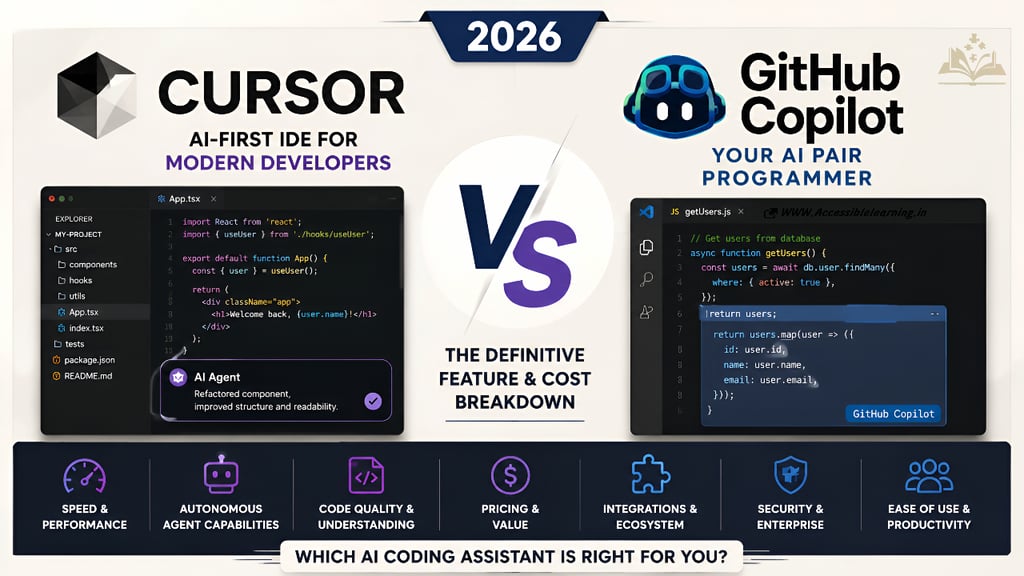
The AI coding assistant market has evolved dramatically. What started as simple code completion tools has become a race to build fully capable AI development environments that can understand repositories, plan implementations, refactor entire codebases, generate tests, and automate significant portions of software development.
In 2026, two platforms dominate this conversation: Cursor and GitHub Copilot.
Both tools promise faster development, reduced engineering overhead, and improved productivity. Both leverage state-of-the-art language models and offer advanced coding assistance. However, they take fundamentally different approaches.
GitHub Copilot focuses on integrating AI into existing developer workflows, making adoption easy for individuals and enterprises already invested in the GitHub ecosystem. Cursor, on the other hand, is built as an AI-first development environment designed around autonomous agents, deep codebase awareness, and workflow automation.
The challenge for developers, startups, and engineering teams is determining which platform delivers the greatest return on investment. Subscription pricing matters, but the bigger question is how much developer time each tool can actually save when working on real-world projects.
This comparison examines the features that matter most in 2026, including pricing, performance, AI agent capabilities, repository understanding, ecosystem integration, ease of use, and long-term value. Rather than relying on marketing claims, the goal is to identify where each platform excels, where it falls short, and which solution offers the strongest overall advantage for modern software development.
By the end of this guide, you'll have a clear understanding of whether Cursor or GitHub Copilot is the better choice for your workflow, team structure, and development goals.
Cursor vs. GitHub Copilot 2026
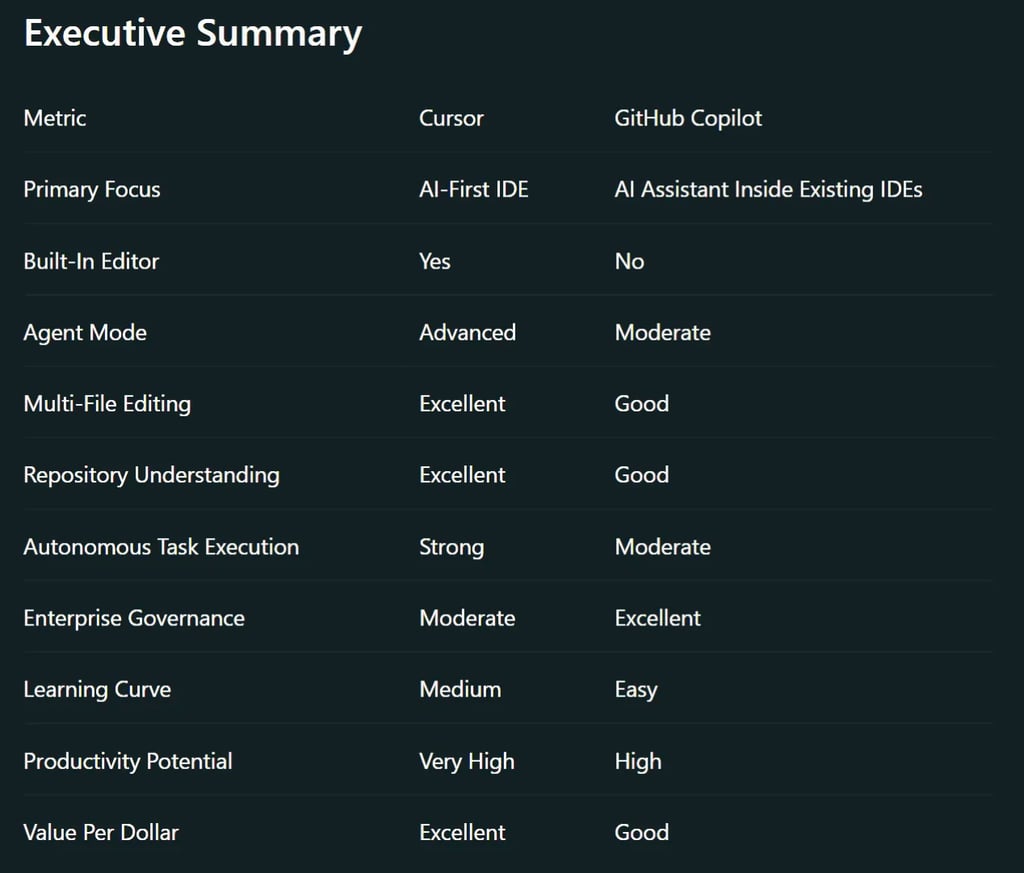
AI coding assistants have evolved beyond autocomplete. The battle in 2026 is no longer about generating a function or fixing a syntax error. The real competition is about which platform can operate like a junior developer, understand entire codebases, execute multi-step tasks, and accelerate software delivery.
For many teams, the question is no longer:
"Should we use AI for coding?"
Instead, it is:
"Which AI coding platform delivers the highest ROI?"
This comparison breaks down pricing, features, speed, agent capabilities, usability, and long-term value.
Cost Verdict
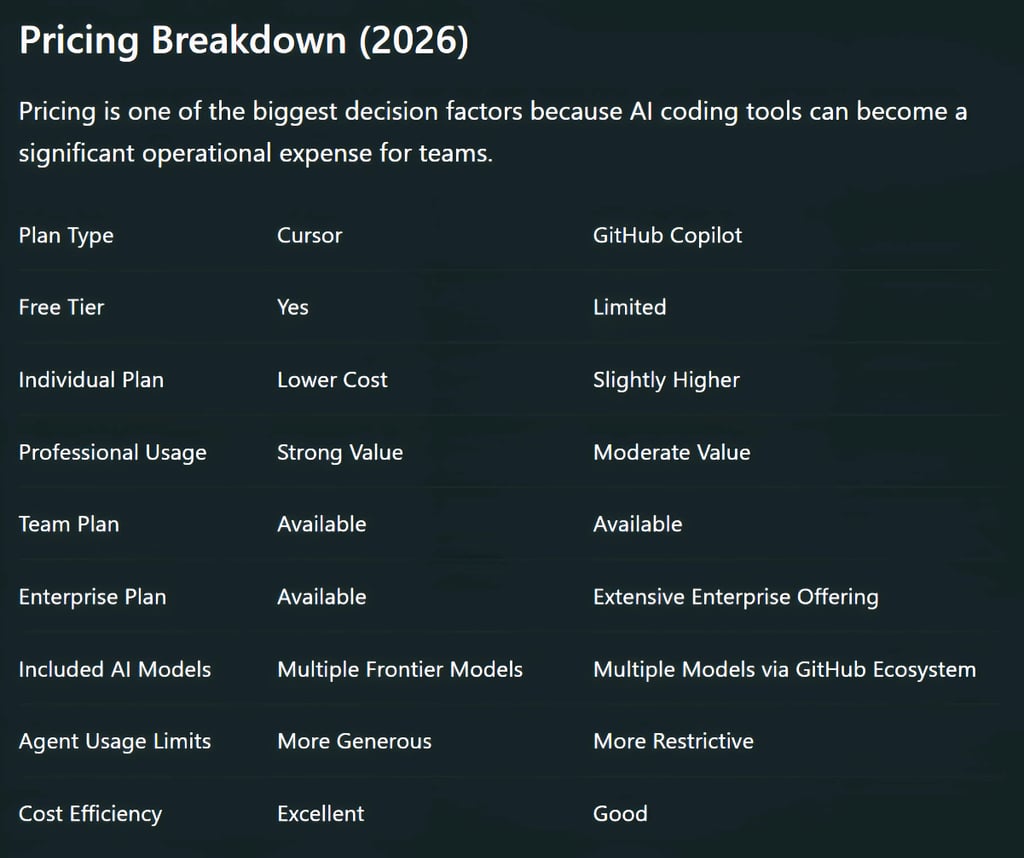
For solo developers and startups:
Cursor generally delivers more AI output per dollar spent.
For large organizations with compliance requirements:
GitHub Copilot often justifies its higher cost through governance and enterprise controls.

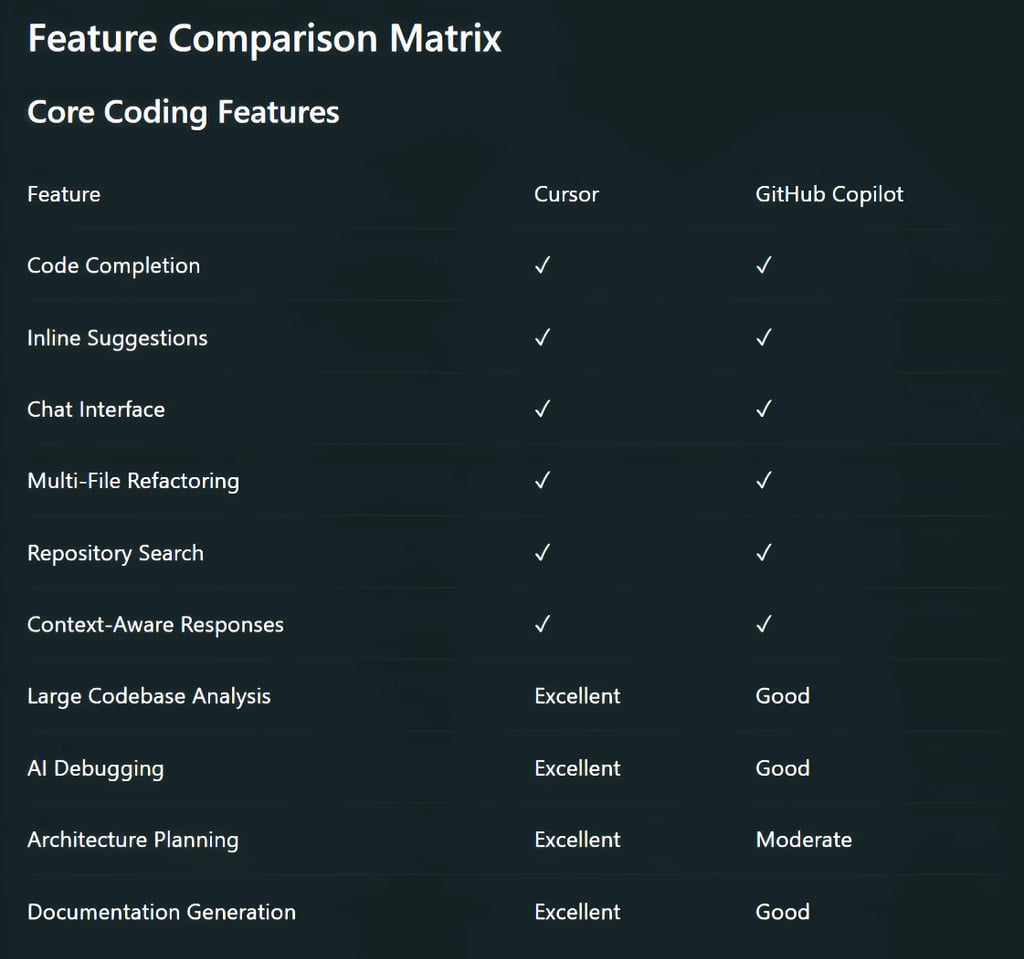
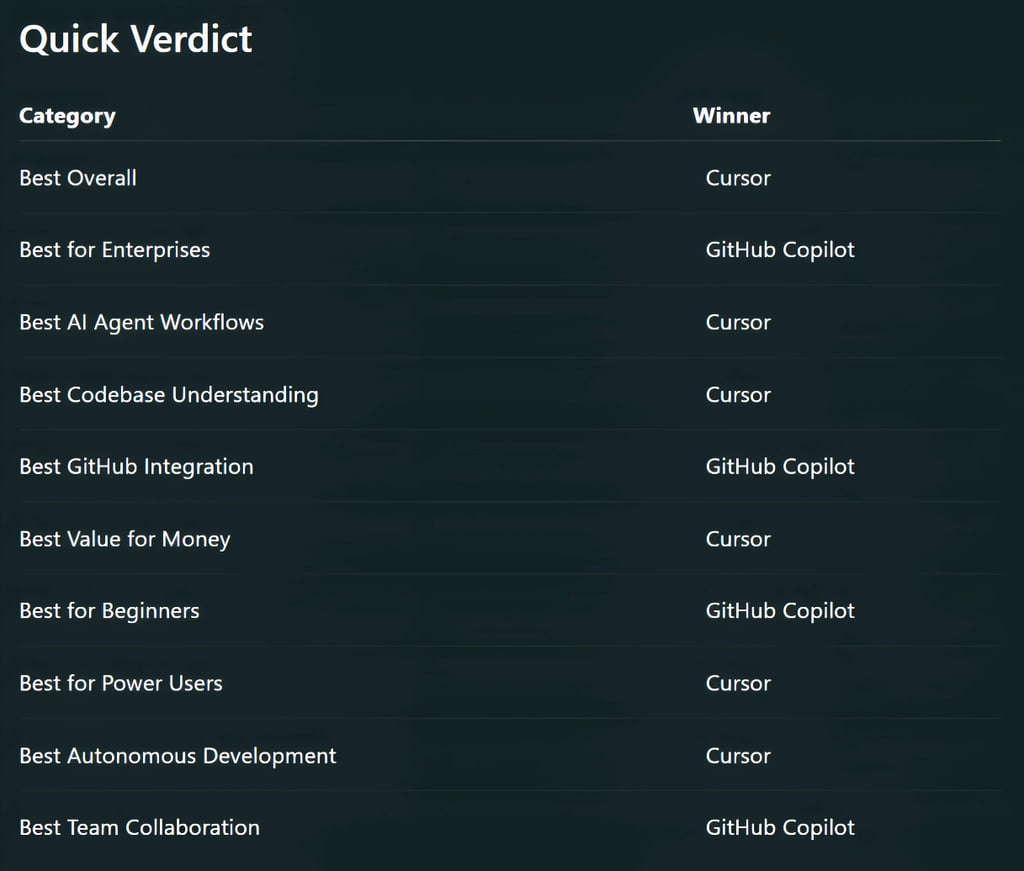
Winner: Cursor
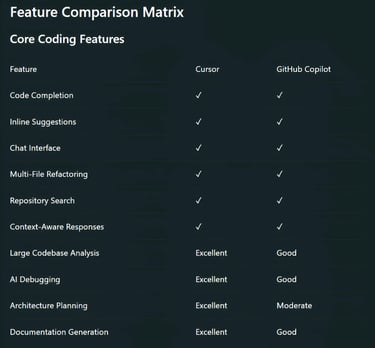
Cursor consistently provides deeper codebase awareness and stronger contextual understanding.
Autonomous Agent Capabilities
This category is where the market is rapidly shifting. Developers increasingly want AI systems that can:
Explore repositories
Modify multiple files
Execute development plans
Fix bugs autonomously
Generate tests
Perform refactoring without constant supervision
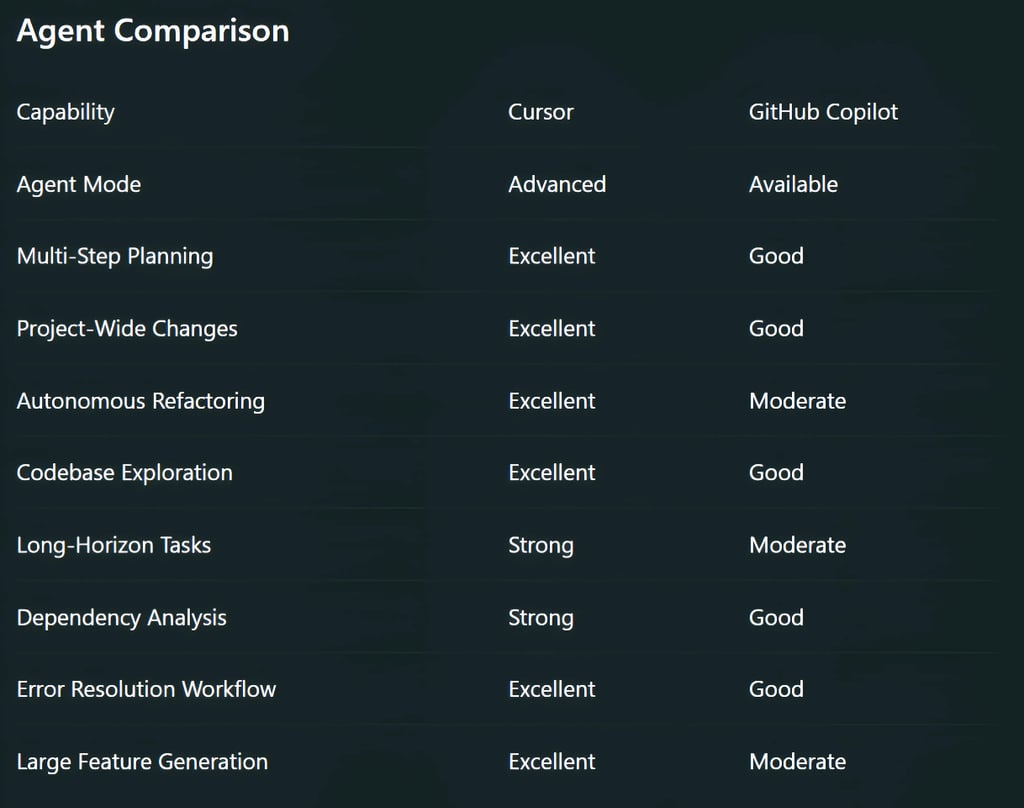
Winner: Cursor
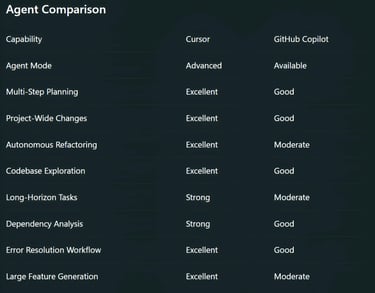
Cursor's agent workflows feel closer to working with an AI teammate rather than an AI autocomplete engine.
Speed & Performance
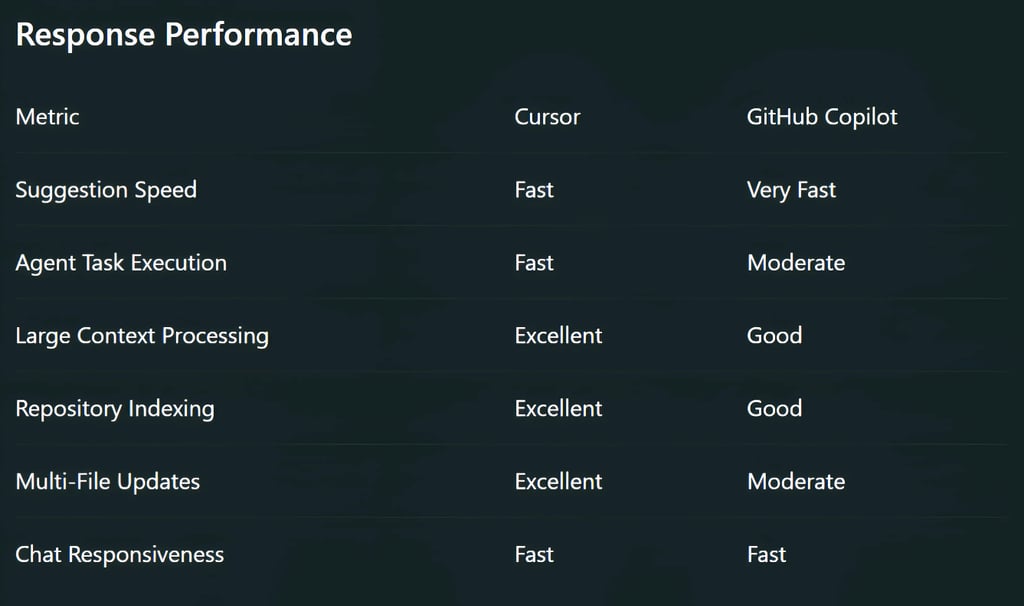
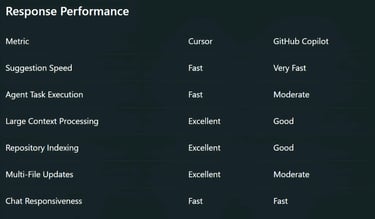
Speed affects daily productivity more than most developers realize.
Winner: Cursor
While raw completion speed is similar, Cursor gains an advantage when handling large-scale tasks.
Ease of Use
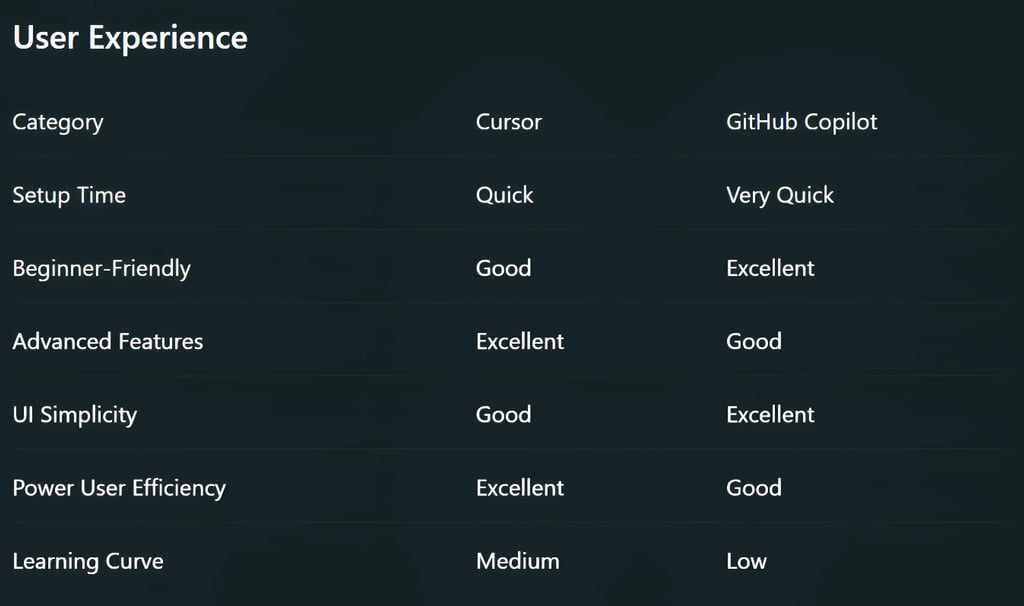
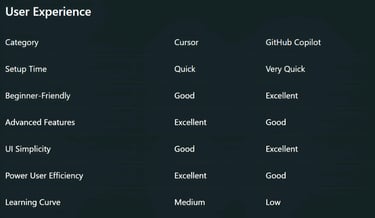
Not every developer wants to learn a new workflow.
Winner: GitHub Copilot
GitHub Copilot is easier to adopt because it fits naturally into existing development environments.

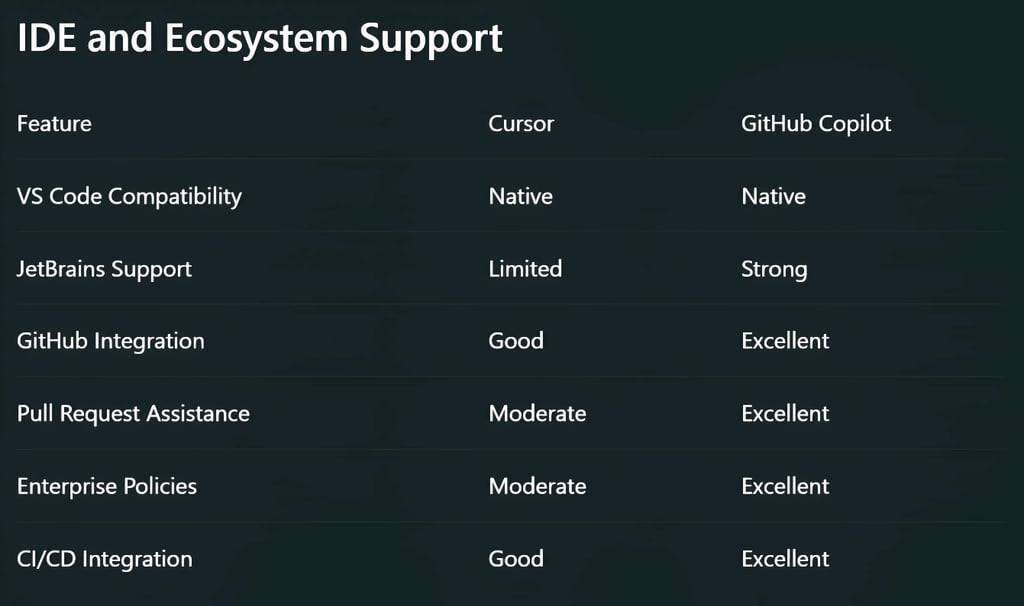
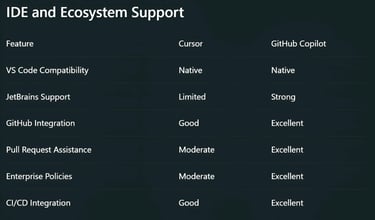
Winner: GitHub Copilot
Organizations deeply invested in GitHub workflows gain significant advantages.
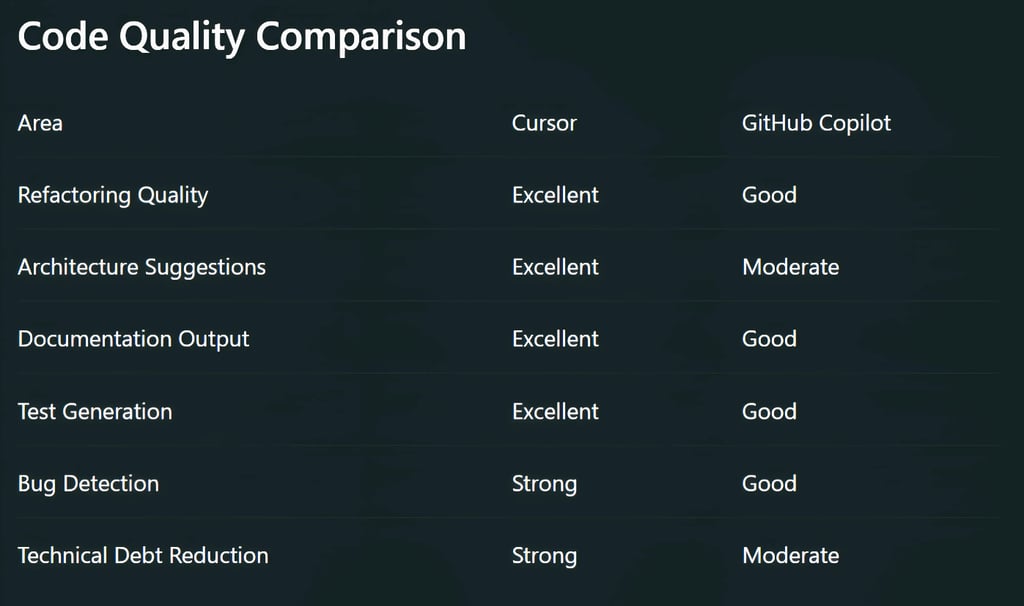
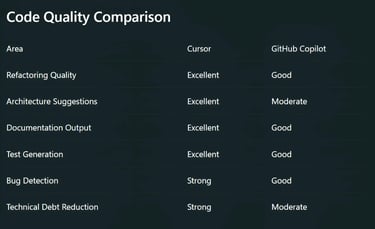
Winner: Cursor
Cursor demonstrates stronger reasoning across complex engineering tasks.
Best Use Cases
Choose Cursor If:
You want maximum productivity gains.
You work on large repositories.
You frequently refactor code.
You want autonomous AI agents.
You are building startups or SaaS products.
You want an AI-first development environment.
You care about value per dollar.
Choose GitHub Copilot If:
Your organization already uses GitHub extensively.
Enterprise compliance is critical.
You prefer minimal workflow changes.
You need mature governance features.
You want the simplest onboarding process.
Real-World Productivity Impact
The biggest misconception in AI coding is that autocomplete matters most. In reality, the highest-value activities are the following:
Understanding unfamiliar code.
Planning implementations.
Refactoring legacy systems.
Debugging production issues.
Creating tests.
Maintaining documentation.
These are exactly the areas where modern agent-based systems outperform traditional code assistants.
Cursor's advantage comes from reducing the amount of developer supervision required during these workflows.
GitHub Copilot still excels at accelerating everyday coding tasks but generally requires more human direction during larger projects.
The Hidden Cost Most Teams Ignore
Many teams compare subscription prices while ignoring developer time. Consider a developer earning $100,000 annually.
If an AI platform saves:
30 minutes per day
5 days per week
50 weeks per year
That equals:
125 hours annually per developer.
Even small productivity improvements can outweigh subscription costs by a wide margin.
The real question is not:
"Which tool is cheaper?"
The real question is:
"Which tool eliminates the most engineering hours?"
In 2026, Cursor often wins that calculation.

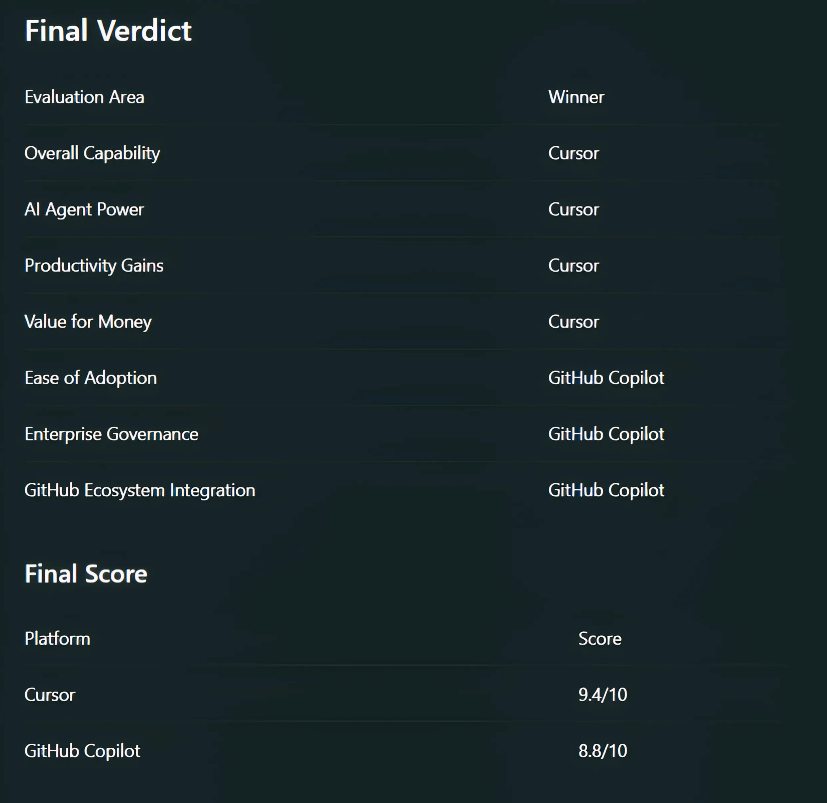

GitHub Copilot remains one of the strongest coding assistants available, particularly for enterprise teams already invested in GitHub.
However, if your goal is maximizing developer output, leveraging autonomous AI agents, and achieving the highest productivity-per-dollar ratio, Cursor is currently the stronger choice in 2026.
The market has shifted from AI-assisted coding to AI-driven development. Cursor is leading that transition.
FAQ's
Q: Is Cursor better than GitHub Copilot in 2026?
For many individual developers and startups, Cursor offers stronger AI agent capabilities, deeper codebase understanding, and more advanced automation features. GitHub Copilot remains a strong choice for organizations heavily invested in the GitHub ecosystem and enterprise workflows.
Q: Which is cheaper: Cursor or GitHub Copilot?
Pricing changes over time, but Cursor is generally considered to provide more AI-assisted development features per dollar for individual users. GitHub Copilot may offer greater value for enterprises that need governance, security controls, and GitHub-native integrations.
Q: Can Cursor replace GitHub Copilot?
For many developers, yes. Cursor includes code completion, AI chat, code generation, debugging assistance, and autonomous agent workflows. However, teams that rely on GitHub-specific enterprise features may still prefer GitHub Copilot.
Q: What are AI coding agents, and why do they matter?
AI coding agents go beyond autocomplete by analyzing repositories, planning tasks, modifying multiple files, generating tests, and assisting with larger development workflows. These capabilities can significantly reduce the time spent on repetitive engineering tasks.
Q: Which tool is better for large codebases?
Cursor is often preferred for large projects because of its strong repository awareness, multi-file editing capabilities, and advanced context management. This allows developers to work more efficiently across complex applications.
Q: Is GitHub Copilot still worth using in 2026?
Yes. GitHub Copilot remains one of the most widely adopted AI coding tools, offering reliable code suggestions, seamless GitHub integration, and enterprise-grade management features that many organizations require.
Q: Which AI coding assistant is best for beginners?
GitHub Copilot is generally easier for beginners because it integrates directly into familiar development environments and requires minimal workflow changes. Cursor offers more advanced functionality but may require a slightly steeper learning curve.
Q: How do Cursor and GitHub Copilot improve developer productivity?
Both platforms help automate coding, debugging, documentation, testing, and code navigation. By reducing repetitive work and accelerating development workflows, they allow engineers to focus more on solving business and technical problems.
Subscribe To Our Newsletter
All © Copyright reserved by Accessible-Learning Hub
| Terms & Conditions
Knowledge is power. Learn with Us. 📚

