

Compressing the 3D Web: AI Optimization for WebGL and Three.js Assets
Learn how AI-powered WebGL optimization improves Three.js performance through GLTF compression, lightmap baking, shader tuning, and SDF optimization. Build immersive 3D experiences that load fast on desktop and mobile devices.
PROGRAMMINGDIGITAL MARKETINGENTREPRENEUR/BUSINESSMAN
Sachin K Chaurasiya | WhiteHatDesigner
6/21/20267 min read
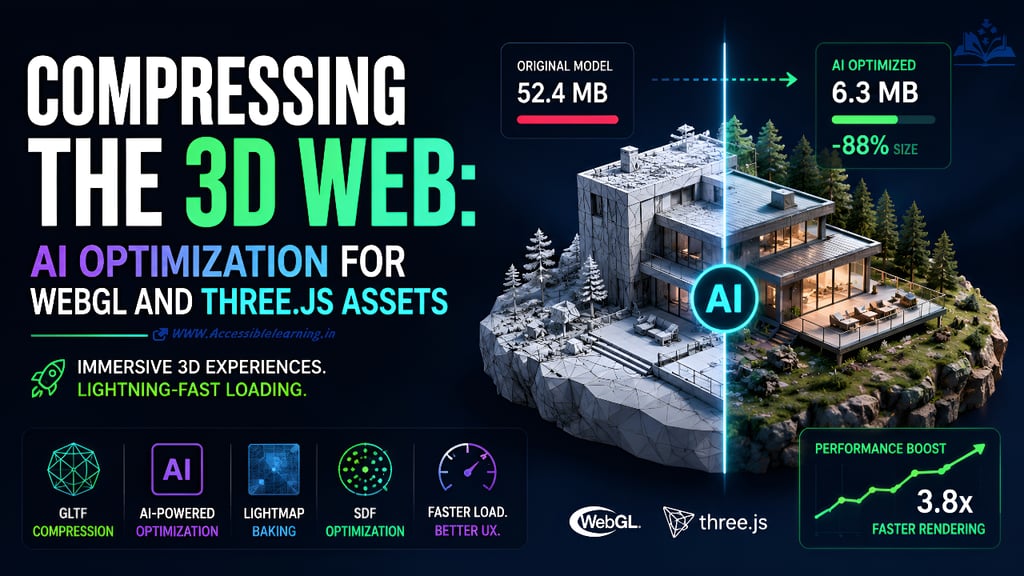

Complex Shaders and 3D Scenes Shouldn't Ruin Your Website's Load Time
The modern web is becoming increasingly three-dimensional. Interactive product configurators, immersive landing pages, virtual showrooms, digital twins, and animated hero sections are no longer limited to gaming platforms. Thanks to WebGL and Three.js, developers can deliver cinematic experiences directly inside the browser.
There is one major problem.
Most 3D experiences are painfully heavy.
A visually impressive scene can easily exceed 50 MB of assets before textures, animations, environment maps, and shaders are fully loaded. Mobile users on slower networks often abandon pages before the first frame even renders.
The challenge is no longer creating beautiful 3D experiences.
The challenge is making them fast.
This is where AI-powered optimization is changing the game. Modern machine learning techniques can automatically reduce geometry complexity, compress textures intelligently, optimize lighting workflows, and even improve Signed Distance Field (SDF) rendering without visibly degrading quality.
This guide explains how developers can use AI to compress WebGL assets, optimize Three.js projects, and build immersive 3D environments that still load instantly across devices.
Why 3D Performance Matters More Than Ever
When users encounter delays, they leave. Research consistently shows that page speed affects:
Bounce rates
Conversion rates
Search visibility
User engagement
Mobile retention
A homepage featuring a massive GLTF model and multiple shader passes may look incredible on a desktop workstation, but mobile GPUs tell a different story. Common performance bottlenecks include:
Large GLTF or GLB files
High-polygon meshes
Oversized textures
Expensive fragment shaders
Dynamic lighting calculations
Excessive draw calls
Unoptimized SDF rendering
Traditional optimization methods still work, but AI now automates much of the process while preserving visual fidelity.
Understanding the Modern 3D Asset Pipeline
Before optimization begins, it helps to understand where most weight comes from. A typical Three.js project contains the following:
Geometry
Mesh data defining object shapes.
Textures
Diffuse, roughness, metallic, normal, ambient occlusion, and emissive maps.
Animations
Rigging and motion data.
Materials
Shader configurations and rendering instructions.
Lighting Information
Environment maps, baked shadows, and global illumination data.
Each category contributes to download size and runtime performance.
AI optimization targets all of them.

AI-Powered GLTF Compression
Why GLTF Has Become the Standard
GLTF is often called the "JPEG of 3D."
Its popularity comes from:
Fast browser loading
PBR material support
Animation compatibility
Efficient transmission
Strong Three.js integration
However, many exported GLTF files are far larger than necessary.
Artists frequently export:
Unused vertices
Duplicate geometry
Excessive polygon counts
Redundant material information
This creates unnecessary overhead.
How AI Reduces Polygon Counts Intelligently
Traditional mesh decimation follows geometric rules. AI-assisted decimation analyzes:
Visual importance
Surface curvature
User viewing angles
Animation dependencies
Instead of blindly removing polygons, machine learning models identify areas where simplification is least noticeable.
For example:
A product model with 500,000 polygons may be reduced to:
200,000 polygons
100,000 polygons
Sometimes under 50,000 polygons
while preserving visual quality.
The result:
Smaller downloads
Faster rendering
Better mobile performance
AI-Based Mesh Simplification Workflow
A modern workflow often follows:
Step 1
Import source model.
Step 2
Run AI mesh analysis.
Step 3
Generate multiple Levels of Detail (LOD).
Step 4
Select target quality level.
Step 5
Export optimized GLTF or GLB.
Step 6
Deploy adaptive loading inside Three.js.
This creates dynamic quality scaling based on device capability.
Best GLTF Compression Techniques
AI works best when combined with established compression standards.
Draco Compression
Draco dramatically reduces geometry size. Benefits include:
Smaller downloads
Reduced bandwidth usage
Faster asset delivery
A 20 MB model can often shrink below 5 MB.
Meshopt Compression
Meshopt focuses on GPU-friendly optimization. Advantages:
Faster decoding
Improved rendering performance
Reduced vertex processing overhead
Many Three.js developers now combine:
Meshopt
Draco
AI simplification
for maximum gains.
Texture Compression
Geometry is rarely the largest problem. Textures often consume more space than meshes. AI-assisted texture compression can:
Remove imperceptible information
Predict missing pixel data
Preserve sharpness at lower resolutions
Popular targets include:
KTX2
Basis Universal
WebP textures
AVIF textures
Texture optimization alone can reduce asset size by 70% or more.

AI Lighting Map Baking
The Hidden Cost of Real-Time Lighting
Real-time lighting looks impressive. It is also expensive. Every frame requires calculations involving:
Light positions
Surface normals
Material properties
Shadow information
As scene complexity increases, frame rates decrease.
Why Light Baking Exists
Baking converts lighting calculations into textures. Instead of calculating illumination continuously, the browser loads precomputed information.
Benefits include:
Faster rendering
Lower GPU usage
Improved battery life
Better mobile performance
How AI Improves Lightmap Generation
Traditional baking can be slow. Large environments may require:
Hours of processing
Multiple render passes
Significant manual adjustments
AI accelerates this process through:
Denoising
Removing sampling noise automatically.
Intelligent Sampling
Focusing computational effort where it matters most.
Light Prediction
Estimating indirect lighting with fewer calculations.
UV Optimization
Generating more efficient texture layouts.
The result is cleaner lighting with smaller lightmaps.
Practical Lightmap Optimization
Instead of:
4096×4096 lightmaps
developers can often use:
2048×2048
1024×1024
with AI-enhanced quality restoration. This significantly reduces memory consumption.
Optimizing Signed Distance Fields (SDFs)
What Are Signed Distance Fields?
Signed Distance Fields store the distance between pixels and nearby surfaces.
They are widely used for:
Text rendering
UI elements
Volumetric effects
Raymarching
Procedural graphics
SDFs provide crisp visuals at multiple resolutions. However, they can become computationally expensive.
Why SDF Rendering Slows Down
Common issues include:
Excessive ray-marching steps
High-resolution distance textures
Complex procedural calculations
Expensive fragment shaders
These problems scale quickly on mobile GPUs.
AI Optimization for SDF Workflows
AI helps reduce computational overhead by:
Adaptive Resolution Selection
Predicting where detail is actually required.
Smart Raymarching
Reducing unnecessary marching iterations.
Distance Field Compression
Preserving edge quality with smaller texture footprints.
Neural Approximation
Replacing expensive mathematical calculations with learned approximations.
This can dramatically reduce shader workload.
Optimizing Three.js Shaders with AI
Shaders frequently become the biggest performance bottleneck. Developers often write fragment shaders that:
Execute unnecessary operations
Recalculate identical values
Overuse loops
Trigger excessive texture lookups
AI-assisted code analysis can identify inefficiencies automatically. Optimization opportunities include the following:
Constant folding
Dead code elimination
Branch reduction
Texture fetch optimization
Precision reduction
Small shader improvements often produce major frame rate gains.


Building High-End Interactive Headers That Load Instantly
The most successful 3D websites follow a simple rule:
Users should see something immediately.
Not after ten seconds.
Not after thirty.
Immediately.
Use Progressive Loading
Load:
Essential geometry first
Primary textures second
Secondary assets later
Visitors interact before the full scene finishes downloading.
Implement LOD Systems
Different devices require different complexity levels. Examples:
Desktop
150,000 polygons
Tablet
80,000 polygons
Mobile
30,000 polygons
AI-generated LOD systems automate this process.
Stream Assets Incrementally
Instead of downloading one massive model:
Break environments into chunks
Load regions on demand
Unload distant assets
This dramatically improves startup performance.
Optimize Environment Maps
HDRI environments frequently exceed several megabytes. AI can:
Reduce HDR resolution
Predict missing lighting information
Compress reflections intelligently
without noticeably affecting quality.
AI 3D Asset Optimizer Tools Worth Exploring
Developers seeking faster pipelines should evaluate tools that support:
Automated mesh reduction
Texture compression
Lightmap optimization
Neural rendering workflows
LOD generation
Geometry cleanup
Look for solutions that integrate with:
Blender
Three.js
WebGL
GLTF pipelines
WebGPU workflows
The most effective systems combine traditional compression with machine-learning-driven optimization.
Performance Benchmarks Developers Should Track
Optimization should always be measured. Key metrics include:
GLTF File Size
Target the smallest possible download.
First Contentful Paint (FCP)
Measure how quickly content appears.
Largest Contentful Paint (LCP)
Critical for SEO performance.
GPU Frame Time
Monitor rendering efficiency.
Draw Calls
Reduce whenever possible.
Texture Memory Usage
Track GPU memory consumption.
Frames Per Second (FPS)
Maintain smooth interaction across devices.


The Future of AI-Driven WebGL Optimization
The next generation of web graphics will not simply rely on stronger hardware. They will rely on smarter assets.
AI is moving beyond compression into the following:
Neural rendering
Geometry reconstruction
Real-time upscaling
Procedural asset generation
Predictive scene streaming
Adaptive quality scaling
As WebGPU adoption increases, these capabilities will become even more powerful. The websites that succeed will not be the ones with the largest 3D scenes.
They will be the ones that deliver immersive experiences with minimal bandwidth, minimal latency, and maximum responsiveness.
Building visually stunning WebGL and Three.js experiences no longer requires sacrificing performance. AI-powered optimization allows developers to compress GLTF models, generate cleaner lightmaps, reduce texture overhead, streamline shader execution, and optimize Signed Distance Fields with unprecedented efficiency.
The goal is not simply smaller files.
The goal is delivering premium interactive experiences that feel instantaneous, even on mobile networks.
When AI-driven compression is combined with intelligent loading strategies, modern 3D websites can achieve what once seemed impossible: cinematic visuals, responsive interactions, and near-instant load times all at the same time.
For developers focused on WebGL AI optimization, compressing Three.js models, implementing advanced GLTF compression tools, and leveraging an AI 3D asset optimizer are quickly becoming essential skills rather than optional enhancements.
FAQ's
Q: What is WebGL AI optimization?
WebGL AI optimization refers to the use of artificial intelligence and machine learning techniques to reduce the size and rendering cost of 3D assets used in WebGL applications. AI can optimize meshes, textures, shaders, lighting data, and scene complexity while maintaining visual quality, resulting in faster load times and better performance across devices.
Q: How can I compress Three.js models without losing quality?
The most effective approach combines AI-driven mesh simplification with compression technologies such as Draco, Meshopt, and KTX2 texture compression. AI identifies areas where polygon reduction is least noticeable, allowing developers to significantly reduce file sizes while preserving the visual appearance of Three.js models.
Q: What are the best GLTF compression tools for web performance?
Popular GLTF compression tools include the following:
Draco Compression
Meshopt
glTF-Transform
KTX2/Basis Universal for textures
Blender's built-in optimization tools
When combined with AI-powered asset optimization workflows, these tools can reduce 3D asset sizes by 50% to 90%.
Q: Does AI-based 3D asset optimization improve website SEO?
Yes. Optimized 3D assets can improve page speed metrics such as Largest Contentful Paint (LCP), First Contentful Paint (FCP), and overall Core Web Vitals. Faster loading experiences often lead to lower bounce rates, better user engagement, and stronger search engine performance.
Q: How does AI help optimize GLTF and GLB files?
AI can automatically analyze geometry, detect redundant mesh data, generate Levels of Detail (LODs), compress textures, and optimize materials. This reduces download sizes and GPU workload without requiring extensive manual optimization.
Q: What is the ideal GLTF file size for mobile devices?
There is no universal limit, but most developers aim to keep individual GLTF or GLB assets below 5 MB after compression. For interactive mobile experiences, smaller assets generally lead to faster loading and smoother rendering performance.
Q: How do AI-generated LODs improve Three.js performance?
AI-generated Levels of Detail (LODs) create multiple versions of a model with varying polygon counts. Three.js can dynamically display lower-detail models when objects are distant from the camera, reducing rendering costs and improving frame rates.
Q: Can AI optimize shaders in WebGL applications?
Yes. AI-assisted shader optimization tools can identify redundant calculations, reduce texture fetches, simplify branching logic, and improve overall shader efficiency. This helps maintain high frame rates, especially in complex WebGL scenes.
Q: Why are Signed Distance Fields (SDFs) important for WebGL performance?
Signed Distance Fields enable scalable text rendering, procedural graphics, and visual effects with high visual quality. Proper SDF optimization reduces shader complexity and memory usage, improving performance on both desktop and mobile devices.
Q: What is the future of AI in 3D web development?
AI is expected to play a major role in neural rendering, automatic asset generation, real-time scene optimization, adaptive quality scaling, and intelligent streaming. These technologies will make it easier to build immersive WebGL and Three.js experiences that load quickly and perform efficiently across all devices.
Subscribe To Our Newsletter
All © Copyright reserved by Accessible-Learning Hub
| Terms & Conditions
Knowledge is power. Learn with Us. 📚

