

Best AI Art Tools for Beginners (Complete Guide)
Discover the best AI art tools for beginners and learn how to create stunning digital artwork using simple text prompts. This guide explores popular AI image generators, their features, benefits, and tips to help beginners start creating high-quality AI art easily.
A LEARNINGAI/FUTUREEDUCATION/KNOWLEDGE
Shiv Singh Rajput
3/28/20266 min read
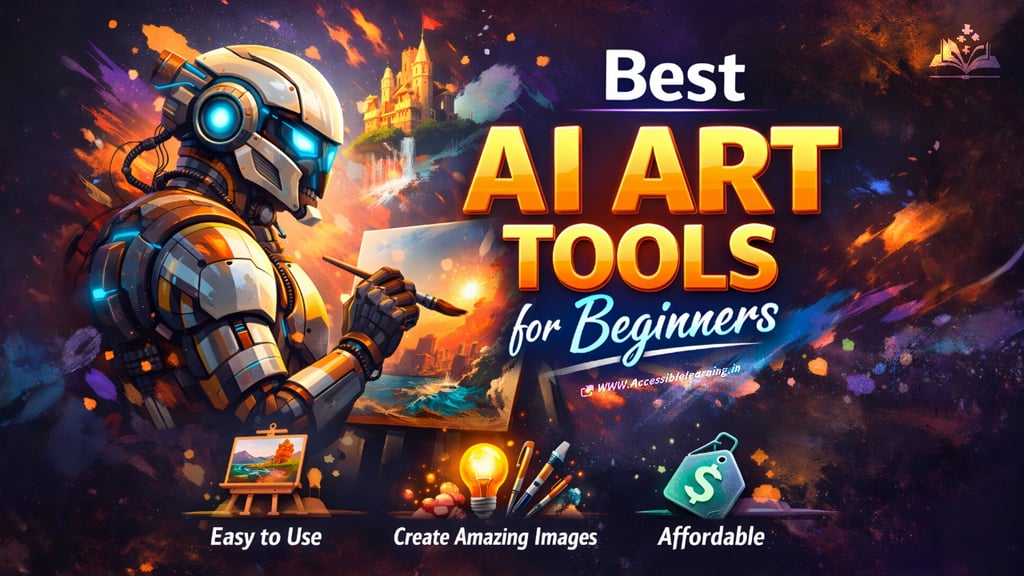
Artificial intelligence has transformed the way digital art is created. What once required advanced design skills and expensive software can now be done with simple text prompts. AI art tools allow beginners to generate illustrations, concept art, marketing visuals, and even photorealistic images in seconds.
Today, artists, designers, content creators, and entrepreneurs are using these tools to accelerate creativity and produce high-quality visuals without traditional drawing skills. Modern AI image generators interpret text prompts and transform them into visual artwork using machine learning models trained on large image datasets.
This guide explores the best AI art tools for beginners, explaining how they work, their features, advantages, and how to choose the right tool for your creative workflow.
What Are AI Art Tools?
AI art tools are software platforms that use generative AI models to create images, illustrations, and digital artwork from text descriptions or reference images. Instead of manually drawing every element, users can simply describe what they want. For example:
"A futuristic cyberpunk city at sunset with neon lights."
The AI processes the prompt and generates a matching image within seconds. Most AI art generators rely on diffusion models or similar generative algorithms that convert random noise into detailed images guided by the prompt description.
These tools are widely used for:
Concept art
Graphic design
Social media visuals
Marketing graphics
Game development assets
Story illustrations
For beginners, the biggest advantage is that you can create impressive artwork without advanced artistic training.
Why Beginners Are Using AI Art Tools
AI art tools have become popular because they remove many traditional barriers to digital art creation.
1. No Drawing Skills Required
Users only need to describe their idea in text form.
2. Fast Image Generation
Most platforms generate images in seconds or minutes.
3. Creative Exploration
AI allows rapid experimentation with styles, lighting, composition, and artistic concepts.
4. Affordable Creative Production
Many tools offer free plans or low-cost subscriptions compared to professional design software.
5. Versatile Applications
From blog graphics to game concept art, AI tools can generate a wide variety of visual styles.

Best AI Art Tools for Beginners
Below are some of the most beginner-friendly AI art generators available today.
1. Midjourney
Midjourney is widely recognized for producing highly artistic and cinematic images. It is popular among digital artists and concept designers because of its strong style generation and visual quality.
Key Features
High-quality artistic rendering
Strong prompt interpretation
Style variations and remix options
Active community sharing prompts and artwork
Pros
Exceptional visual quality
Ideal for fantasy, concept art, and cinematic scenes
Strong community inspiration
Cons
Requires learning prompt techniques
Subscription required
Best For
Concept artists
Digital illustrators
Creative experimentation
2. DALL·E
DALL·E is one of the most well-known AI image generators and was among the first tools to popularize text-to-image generation. It focuses heavily on accurate prompt interpretation, making it easier for beginners to get the results they expect.
Key Features
Text-to-image generation
Image editing and variations
Inpainting and object replacement
Pros
Beginner-friendly
Accurate, prompt interpretation
Integrated with several AI platforms
Cons
Limited artistic control compared to advanced tools
Best For
Beginners learning prompt-based art generation
Marketing visuals and blog graphics
3. Stable Diffusion
Stable Diffusion is an open-source AI art model that offers extensive customization and flexibility. Unlike many AI art tools, users can run it locally or through different platforms.
Key Features
Open-source architecture
Custom models and styles
Advanced control over generation
Pros
Highly customizable
Strong community support
No strict platform restrictions
Cons
Setup can be complex for beginners
Requires more technical knowledge
Best For
Developers and advanced users
Custom AI art workflows
4. Canva AI Image Generator
Canva has integrated AI art generation directly into its design platform, making it extremely accessible for beginners. Users can create images and immediately use them in social media posts, presentations, and graphics.
Key Features
Text-to-image generation
Built-in design templates
Drag-and-drop editing tools
Pros
Very easy interface
Perfect for marketing and social media visuals
All-in-one design platform
Cons
Less artistic control compared to dedicated AI art tools
Best For
Content creators
Bloggers
Social media marketers
5. Leonardo AI
Leonardo AI is designed for creators who want more control over visual consistency and style. It allows users to generate images, refine them, and even train custom AI models for specific aesthetics.
Key Features
High-quality image generation
Custom model training
Asset creation for games and design
Pros
Powerful creative tools
Free plan available
High-resolution output
Cons
Slight learning curve
Best For
Game developers
Creative professionals
Concept artists
6. NightCafe
NightCafe is a beginner-friendly platform that supports multiple AI models such as DALL·E and Stable Diffusion. It also features a strong community where users share prompts and artwork.
Key Features
Multiple AI models
Daily free credits
Community art challenges
Pros
Easy to start
Free credits for beginners
Creative community
Cons
Credit system limits heavy usage
Best For
Beginners exploring AI art
Creative experimentation
How to Choose the Right AI Art Tool
Different AI tools are optimized for different creative needs. When choosing one, consider the following factors:
Ease of Use: Beginners should look for simple interfaces and prompt guidance.
Image Quality: Tools like Midjourney and Leonardo produce highly detailed images.
Customization Options: Stable Diffusion offers deep customization for advanced users.
Pricing: Some tools are free with limited credits, while others require subscriptions.
Integration: Platforms like Canva integrate AI art directly with design workflows.
Tips for Beginners Creating AI Art
Even though AI does the heavy lifting, better prompts lead to better results.
1. Use Detailed Prompts
Include style, lighting, environment, and camera angles. Example:
"Ultra-realistic portrait of a medieval warrior, cinematic lighting, detailed armor, 4K."
2. Experiment with Styles
Try different artistic directions:
watercolor
anime
photorealistic
digital painting
cyberpunk
3. Iterate Frequently
Generate multiple versions and refine prompts.
4. Use Reference Images
Many tools allow uploading images to guide the AI style.
5. Combine Tools
Use AI art tools alongside design software for polishing and editing.
The Future of AI Art Creation
AI art technology continues to evolve rapidly. New tools are integrating advanced editing, style transfer, and layered design capabilities that make the creative process more flexible and accessible.
Modern design platforms are also experimenting with features that automatically separate AI-generated images into editable layers, allowing creators to modify objects without regenerating the entire image.
As generative AI improves, AI art tools will likely become an essential part of creative workflows across design, entertainment, marketing, and digital media.
AI art tools have democratized digital creativity. Beginners can now transform simple ideas into stunning visuals with just a few words. Whether you want to design social media graphics, experiment with digital illustration, or generate concept art, modern AI tools provide powerful creative assistance.
Platforms like Midjourney, DALL·E, Stable Diffusion, Canva AI, Leonardo AI, and NightCafe each offer unique strengths. The best choice ultimately depends on your goals, level of experience, and creative workflow. For beginners, the most important step is simple: start experimenting. The more prompts you try and refine, the better your results will become.

FAQ's
Q: What is an AI art generator?
An AI art generator is a tool that creates images or digital artwork from text prompts or reference images using artificial intelligence. These tools analyze the description provided by the user and generate visuals based on patterns learned from large datasets of images.
Q: Do I need drawing skills to use AI art tools?
No. Most AI art tools are designed for beginners and require no drawing skills. Users simply describe the image they want using text prompts, and the AI generates the artwork automatically.
Q: Are AI art generators free to use?
Many AI art tools offer free versions or limited free credits. However, advanced features, higher image resolution, or unlimited generations usually require a paid subscription.
Q: Which AI art tool is best for beginners?
Some of the most beginner-friendly AI art tools include Midjourney, DALL·E, Canva AI Image Generator, Leonardo AI, and NightCafe. These platforms offer simple interfaces and helpful features for users who are new to AI-generated art.
Q: Can AI-generated images be used for commercial purposes?
In many cases, yes. Several AI platforms allow users to use generated images commercially, especially with paid plans. However, each platform has its own licensing terms, so it is important to review the usage rights before using images for business or marketing purposes.
Q: How can I improve the quality of AI-generated images?
You can improve image quality by writing more detailed prompts, specifying styles and lighting, generating multiple variations, and refining the prompt based on the results. Many tools also allow image upscaling for higher resolution outputs.
Q: What types of images can AI art tools create?
AI art generators can create a wide range of visuals, including realistic photos, digital illustrations, fantasy art, anime-style images, product mockups, concept art, landscapes, portraits, and abstract designs.
Q: Are AI art tools replacing artists?
AI art tools are generally seen as creative assistants rather than replacements for artists. They help speed up idea generation, concept exploration, and workflow efficiency, but human creativity and artistic direction remain essential in professional design and art creation.
Subscribe to Frontier Intelligence
All © Copyright reserved by Accessible-Learning Hub
| Terms & Conditions
Accessible Learning Hub — Actionable clarity for high-agency minds.
Weekly breakdowns on AI breakthroughs, capital flow, and human performance systems. Zero fluff.