

Artbreeder vs. RunwayML: Which AI Creative Tool Fits Your Workflow?
Artbreeder and RunwayML are two powerful AI creative tools, but they serve very different purposes. This in-depth comparison breaks down features, workflows, use cases, and limitations to help creators choose the right tool for image design, character creation, or AI video production.
AI/FUTUREEDITOR/TOOLSAI ART TOOLS
Sachin K Chaurasiya
2/12/20266 min read
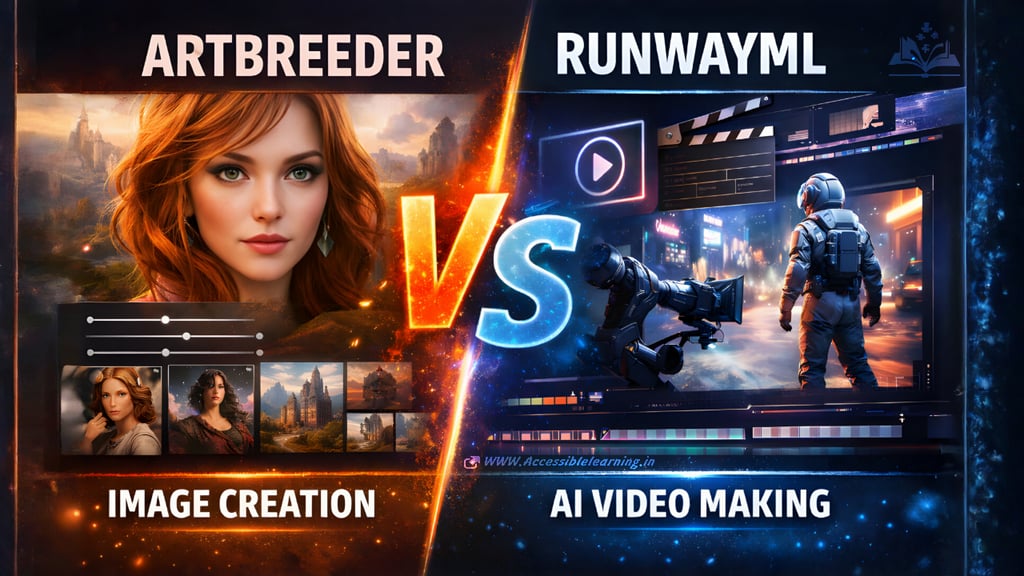
AI creativity tools are no longer just experiments. They are now part of real creative workflows for writers, designers, filmmakers, marketers, and solo creators. When people search for Artbreeder vs. RunwayML, they’re usually trying to answer one question:
“Which tool actually fits the kind of work I do?”
The short answer is that these tools solve very different problems. Artbreeder is about visual exploration and idea evolution, while RunwayML is about AI-powered production and motion storytelling. This article goes deep into how they work, where they shine, where they struggle, and how to choose intelligently.
Fundamental difference in purpose
Artbreeder: idea evolution over automation
Artbreeder is designed around human-in-the-loop creativity. You don’t just type a prompt and accept whatever comes out. You explore variations, mix concepts, and guide the AI gradually toward something meaningful.
It feels closer to:
sketching
brainstorming visually
exploring possibilities rather than finishing assets
Artbreeder works best when creativity is iterative, not linear.
RunwayML: automation and speed for production
RunwayML is built for output. Its philosophy is closer to:
“Describe what you want.”
“Generate usable content fast.”
“Refine and publish”
It’s less about discovering an idea and more about executing one, especially when video or motion is involved.
Learning curve and usability
Artbreeder usability
Very approachable for beginners
Minimal technical knowledge required
Visual controls feel intuitive and playful
Encourages experimentation without fear of “wasting prompts”
However, advanced users may feel limited if they want strict control through technical parameters.
RunwayML usability
Slightly steeper learning curve
More settings, modes, and model choices
Requires understanding prompts, structure, and timing
For creators already comfortable with video editing or storytelling, RunwayML feels powerful. For complete beginners, it can feel overwhelming at first.

Depth of creative control
Artbreeder control style
Image blending and remixing
Controlled variation rather than randomness
Branching workflows let you explore multiple creative directions
Strong sense of authorship even with AI assistance
This makes it ideal for creators who want AI to assist, not replace, their creative decisions.
RunwayML control style
Prompt-driven generation
Model-level controls for motion, style, and transformation
Scene-based thinking rather than single outputs
Runway’s control is more technical and directional. You “direct” the AI rather than explore freely.
Character consistency and identity
This is a critical point for advanced users.
Artbreeder
Excellent at generating variations of the same character
Easy to explore facial structure, age, mood, and style
Less reliable for maintaining consistency across different scenes or actions
RunwayML
Improving at maintaining character identity across multiple video clips
Better suited for recurring characters in motion content
Still not perfect, especially for long narratives
If you’re creating static character designs, Artbreeder wins.
If you’re creating moving characters, RunwayML is the better bet.
Speed vs. depth
Artbreeder
Slower in a good way
Encourages thoughtful iteration
Best for deep creative exploration
RunwayML
Optimized for speed
Faster from idea to publishable output
Better when deadlines matter
This difference alone often decides which tool people prefer.
Collaboration and community
Artbreeder community
Strong remix culture
Public creations encourage learning through exploration
Great for inspiration and studying styles
RunwayML collaboration
More team-oriented
Fits better into agency or studio workflows
Less community remixing, more private production
Artbreeder feels like a shared creative space.
RunwayML feels like a professional toolset.
Integration into real workflows
Artbreeder workflow fit
Early-stage ideation
Concept validation
Pre-production visuals
Works well alongside Photoshop, Illustrator, or design tools
RunwayML workflow fit
Mid-to-late stage production
Content creation for social media, ads, and video platforms
Often paired with Premiere Pro, After Effects, or Final Cut
A common professional workflow is:
Artbreeder → selection → RunwayML → final polish
Ethical and licensing considerations
Artbreeder
Community-driven content means users should review usage rights carefully
Best treated as a concept-generation tool rather than final commercial art in high-stakes projects
RunwayML
Designed with commercial creators in mind
More suitable for paid client work and branded content
Still requires responsible use and disclosure in some industries
This matters if you’re working with clients or monetized content.


Model evolution and update pace
Artbreeder
Evolves slowly but steadily, focusing on stability rather than frequent feature drops.
Updates usually refine existing creation modes instead of introducing disruptive changes.
This makes results predictable over time, which some creators prefer for long projects.
RunwayML
Moves fast and aggressively with new model releases.
Frequent upgrades can significantly change output quality and behavior.
This pace benefits early adopters but can require creators to constantly adapt their workflows.
Prompt sensitivity and tolerance
Artbreeder
Less sensitive to precise wording.
Visual outcomes depend more on remixing, blending, and gradual refinement.
Better for creators who think visually rather than verbally.
RunwayML
Highly sensitive to prompt structure, wording, and order.
Small prompt changes can lead to big output differences.
Rewards creators who understand prompt engineering and cinematic language.
Hardware and performance considerations
Artbreeder
Lightweight web experience.
Works smoothly even on low-to-mid-range systems.
Suitable for long creative sessions without performance strain.
RunwayML
Heavier processing and longer render times, especially for video.
Best experienced on stable, high-speed internet.
More noticeable wait times during complex generations.
Asset reuse and iteration depth
Artbreeder
Excellent for reusing and evolving the same asset repeatedly.
Easy to return to older branches and explore new directions.
Feels closer to version control for visual ideas.
RunwayML
Iteration tends to be forward-moving.
Less emphasis on branching and revisiting older generations.
Better suited for linear progress toward a final output.
Creative fatigue factor
Artbreeder
Lower creative fatigue due to playful exploration.
Encourages curiosity rather than pressure to “get it right.”
RunwayML
Higher creative pressure because each generation feels more “final.”
Can be mentally demanding when working under deadlines or credit limits.
Risk tolerance and experimentation
Artbreeder
Safe environment for experimentation.
Mistakes feel cheap and recoverable.
Ideal for early exploration where failure is expected.
RunwayML
Experimentation can be costly in time and credits.
Better used when the idea is already clear.
Long-term skill value
Artbreeder
Builds visual intuition and aesthetic judgment.
Helps creators understand form, balance, and variation.
RunwayML
Builds production skills relevant to future AI-assisted filmmaking.
Closer to how AI will integrate into professional media pipelines.

SEO, marketing, and content strategy impact
From a digital strategy perspective:
Artbreeder supports high-volume content creation for blogs, thumbnails, and visual storytelling.
RunwayML supports high-engagement content that increases watch time and retention.
For SEO-driven sites, visuals improve dwell time.
For social platforms, motion improves reach.
Who should use Artbreeder?
Artbreeder is ideal if you are:
A writer building worlds or characters
A game designer creating NPCs or concept art
A designer exploring visual directions
A creator who values process over speed
Who should use RunwayML?
RunwayML is ideal if you are:
A YouTuber or content creator
A filmmaker or music video artist
A marketer or agency professional
Someone producing short-form or branded video content
Common mistakes when choosing
Choosing RunwayML when you only need images
Choosing Artbreeder when your end goal is video
Expecting either tool to replace creative judgment
Treating AI as a final solution instead of a collaborator
Artbreeder is best for exploration, character creation, and visual ideation.
RunwayML is best for AI video, motion content, and production workflows.
They are not competitors in the traditional sense. They are complementary tools solving different creative problems at different stages of the creative process.
FAQ's
Q: Is Artbreeder or RunwayML better for beginners?
Artbreeder is generally easier for beginners because it relies more on visual exploration than technical prompting. RunwayML has a slightly steeper learning curve, especially for video generation, but beginners who are focused on content creation can still adapt with practice.
Q: Can Artbreeder and RunwayML be used together?
Yes. Many creators use Artbreeder for early-stage image and character exploration, then use RunwayML to animate or turn selected visuals into video content. This combination works well for storytelling, marketing, and creative projects.
Q: Which tool is better for commercial and client work?
RunwayML is better suited for commercial projects because it’s designed for production workflows and video deliverables. Artbreeder is more commonly used for concept development, ideation, and internal creative exploration before final production.
Q: Do these tools replace designers or video editors?
No. Both tools act as creative accelerators, not replacements. Artbreeder supports ideation and visual discovery, while RunwayML speeds up content creation. Human judgment, storytelling, and final editing are still essential.
Q: Which tool gives more creative freedom?
Artbreeder offers more freedom during the exploration phase, allowing creators to discover unexpected ideas. RunwayML offers more control during execution, especially when you already know what you want to create.
Q: Is RunwayML only useful for video?
No. While RunwayML is best known for video generation, it also supports image creation and AI-assisted visual editing. However, its strongest advantage still lies in motion-based content.
Q: Can I use these tools for social media content?
Yes. Artbreeder works well for static visuals like posts, banners, and thumbnails. RunwayML is more effective for reels, shorts, ads, and motion-based social media content.
Q: Which tool is more future-proof?
RunwayML aligns more closely with the future of AI-assisted filmmaking and media production. Artbreeder remains valuable for creative ideation and character development, which are foundational skills that won’t lose relevance.
Q: What is the biggest mistake people make when choosing between them?
The most common mistake is choosing based on hype instead of workflow. If your final output is an image, Artbreeder is often enough. If your final output is video, RunwayML is the smarter choice.
Q: Should I start with the free versions?
Yes. Both tools offer free access in different forms, which is the best way to understand how they fit into your creative process before committing to a paid plan.
Subscribe to Frontier Intelligence
All © Copyright reserved by Accessible-Learning Hub
| Terms & Conditions
Accessible Learning Hub — Actionable clarity for high-agency minds.
Weekly breakdowns on AI breakthroughs, capital flow, and human performance systems. Zero fluff.