

AI Tools That Help (Not Hurt) Your Productivity in Real Workflows
Discover how AI tools can genuinely improve your productivity without causing burnout or distraction. This in-depth guide explains how to use AI for writing, research, planning, focus, and decision-making while keeping human control at the center of your workflow.
A LEARNINGEDUCATION/KNOWLEDGEEDITOR/TOOLSAI/FUTURE
Shiv Singh Rajput
1/30/20265 min read
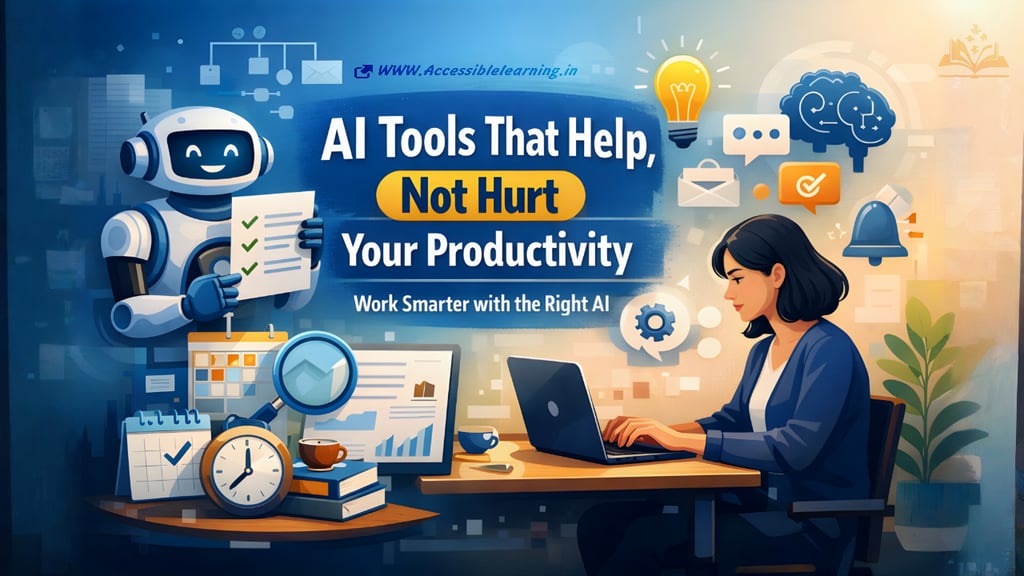

AI is no longer experimental. It is part of everyday work, from writing and research to planning and communication. Yet productivity only improves when AI is used with intention. Used carelessly, it can overwhelm, distract, or create extra work. Used correctly, it removes friction and gives you time back.
This article goes beyond surface-level advice and explains how AI tools truly support productivity across different types of work while keeping humans in control.
Productivity Is About Cognitive Load, Not Speed
A common mistake is measuring productivity only by speed. Real productivity is about reducing mental effort, not rushing tasks.
AI helps when it:
Lowers decision fatigue
Reduces context switching
Handles repetitive thinking
Supports clarity and structure
If a tool increases notifications, complexity, or constant checking, it hurts productivity even if it looks powerful.
AI as a Thinking Partner, Not a Shortcut
The most effective AI tools don’t replace thinking. They support structured thinking.
Examples:
Turning messy ideas into clear outlines
Breaking large goals into manageable steps
Reframing vague thoughts into actionable tasks
This is especially useful for writers, strategists, designers, and founders who deal with abstract work.
Advanced Use of AI Writing Tools
Beyond basic drafting, advanced productivity gains come from using AI for:
Content restructuring: Transform long content into summaries, FAQs, email versions, or scripts.
Tone adaptation: Rewrite the same message for different audiences without rewriting from scratch.
Idea expansion: Take a single bullet point and expand it into sections, angles, or talking points.
Editing at scale: Clean grammar, simplify language, and remove redundancy across large documents.
Used this way, AI reduces editing cycles rather than adding them.
AI for Decision Support
Some of the best productivity gains come from decision assistance, not execution.
AI can help by:
Listing pros and cons objectively
Comparing multiple options using consistent criteria
Highlighting trade-offs you might miss
Stress-testing ideas with alternative viewpoints
This is valuable for managers, business owners, and solo creators who make frequent decisions alone.
AI-Powered Knowledge Management
Information overload is a major productivity killer. AI helps manage knowledge by:
Organizing notes automatically
Tagging and categorizing documents
Creating searchable summaries
Answering questions from your own stored data
Instead of hunting through folders or chats, you retrieve information instantly.
AI and Context Switching Reduction
Switching between apps and tasks drains focus. AI reduces this by acting as a central layer.
Examples:
Summarizing meetings instead of reviewing recordings
Extracting action items from emails or chats
Turning conversations into tasks automatically
Less switching means deeper focus and faster progress.
AI for Learning Faster, Not Harder
Learning new skills is essential but time-consuming. AI accelerates learning by:
Simplifying complex concepts
Creating personalized explanations
Generating practice examples
Answering follow-up questions instantly
This helps professionals stay updated without consuming hours of courses or documentation.
AI in Creative Workflows
AI does not kill creativity when used properly. It removes creative friction.
How it helps:
Generate rough ideas to overcome blank-page anxiety
Explore alternative styles or directions
Refine concepts without restarting
Speed up iterations without lowering quality
Creative professionals stay productive when AI handles exploration, not final judgment.
AI and Energy Management
Productivity is not unlimited. AI tools can help manage energy, not just time.
Examples:
Suggesting optimal work periods
Identifying burnout patterns
Recommending breaks based on usage
Analyzing when you do your best work
This shifts productivity from pushing harder to working smarter.

The Role of Human Review
Every productive AI workflow includes a human checkpoint.
Best practices:
Never publish or send AI output blindly
Always review for accuracy and tone
Use AI drafts as starting points, not final answers
Human judgment is what turns speed into quality.
Common Productivity Traps to Avoid
Even good AI tools can fail when misused.
Avoid:
Using too many tools at once
Constantly switching prompts and platforms
Automating tasks that require empathy or nuance
Chasing features instead of outcomes
Fewer tools, used deeply, outperform many tools used poorly.
Building a Sustainable AI Productivity System
The most productive people treat AI as part of a system.
A simple framework:
Identify repetitive mental tasks
Assign AI to assist those tasks
Define clear input and output rules
Review and refine regularly
This keeps AI helpful instead of overwhelming.
AI tools do not magically make you productive. They amplify how you already work. When aligned with your goals, habits, and thinking style, they remove friction and protect focus.
The future of productivity is not about working faster. It is about working with clarity, intention, and balance. AI helps when it supports that goal and steps back when human judgment matters most.
FAQ's
Q: Do AI productivity tools actually save time, or do they create more work?
AI tools save time only when they reduce repetitive effort or decision fatigue. If a tool requires constant supervision, re-prompting, or manual correction, it often cancels out the time saved. The most effective tools quietly assist in the background and deliver usable output in one or two steps.
Q: Can using AI tools reduce deep focus or critical thinking?
AI does not reduce critical thinking on its own. Over-reliance does. When AI is used for drafting, organizing, or summarizing, it frees mental space for deeper thinking. Problems arise only when users accept AI output without review or reflection.
Q: What types of tasks should never be fully automated with AI?
Tasks that require empathy, ethical judgment, sensitive communication, or final decision-making should not be fully automated. Examples include performance reviews, legal conclusions, personal feedback, and strategic decisions. AI can assist, but humans should always remain responsible.
Q: How many AI productivity tools should one person use at a time?
In most cases, two to four well-chosen tools are enough. Productivity drops when users juggle too many platforms. It’s better to master a small set of tools that integrate well into your workflow than to experiment constantly with new ones.
Q: Are AI productivity tools safe for work and business data?
Safety depends on the tool and its data policy. Many tools store prompts or outputs for training or analysis. For sensitive work, choose tools that offer data privacy controls, local processing, or clear opt-out options. Always review privacy policies before uploading confidential information.
Q: Can AI tools help with burnout and work overload?
Yes, indirectly. AI reduces mental strain by handling repetitive thinking, organizing information, and cutting down busywork. This helps people focus on meaningful tasks, manage energy better, and avoid constant task switching, which is a major contributor to burnout.
Q: How do I know if an AI tool is hurting my productivity?
If you feel more distracted, spend more time tweaking prompts, or constantly switch between tools, that’s a warning sign. A helpful AI tool should feel invisible most of the time and noticeably reduce effort, not increase it.
Q: Are AI productivity tools useful for non-technical users?
Absolutely. Many modern AI tools are designed for writers, students, managers, and creatives with no technical background. The key requirement is clarity in what you want, not technical skill.
Q: Should AI tools replace traditional productivity methods?
AI works best when it complements existing systems like task lists, calendars, and notes. Replacing everything at once often causes friction. Gradual integration leads to better long-term productivity.
Q: What is the biggest mistake people make when using AI for productivity?
The biggest mistake is using AI without a clear purpose. Productivity improves when AI is assigned a specific role, such as drafting, summarizing, or organizing. Using AI “just because it’s available” often leads to confusion rather than results.
Subscribe to Frontier Intelligence
All © Copyright reserved by Accessible-Learning Hub
| Terms & Conditions
Accessible Learning Hub — Actionable clarity for high-agency minds.
Weekly breakdowns on AI breakthroughs, capital flow, and human performance systems. Zero fluff.