

AI Tools for Graphic Design and Illustration: The Ultimate Guide for Creators
Explore the best AI tools for graphic design and illustration. Learn how AI helps designers create stunning visuals, automate workflows, and improve creativity with powerful design tools.
A LEARNINGAI/FUTUREEDITOR/TOOLS
Sachin K Chaurasiya
3/27/20268 min read
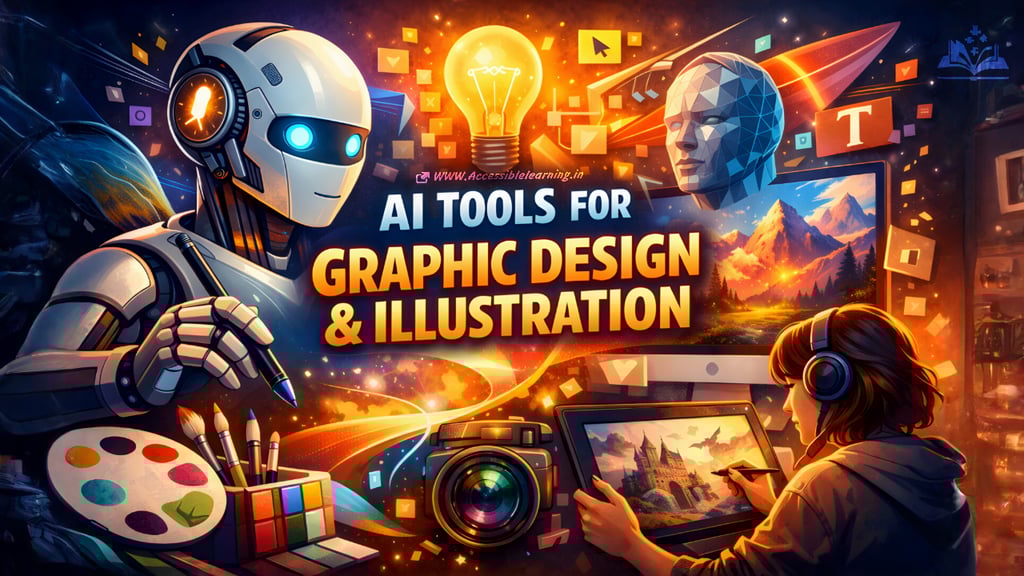
Artificial intelligence is rapidly transforming the creative industry. What once required hours of manual work can now be completed in minutes with the help of AI-powered tools. For graphic designers and illustrators, this shift is not about replacing creativity but enhancing it.
AI tools can generate concepts, assist with illustrations, remove backgrounds, create layouts, and even help designers explore styles they might not have tried before. Whether you are a beginner experimenting with visuals or a professional working on client projects, AI tools can significantly improve your workflow and productivity.
This guide explores the most powerful AI tools for graphic design and illustration, how they work, and how designers can use them effectively.
Why AI is Transforming Graphic Design
Graphic design has always evolved with technology. From traditional drawing to digital design software, each shift has expanded creative possibilities. AI is simply the next step.
Here are some reasons. AI tools are becoming essential for designers:
Faster design workflows: AI can generate ideas, layouts, and visuals in seconds, reducing hours of manual work.
Creative exploration: Designers can experiment with multiple styles, compositions, and color palettes instantly.
Accessibility for beginners: Even people without advanced design skills can create professional visuals using AI-assisted tools.
Automation of repetitive tasks: Tasks like background removal, color correction, resizing, and image enhancement can be automated.
Idea generation and inspiration: AI tools can produce hundreds of visual concepts that designers can refine and customize.
Rather than replacing designers, AI works as a creative assistant that accelerates the design process.
How AI Is Shaping Graphic Design
AI is not only helping designers create images. It is also improving workflow efficiency, collaboration, and production speed. Modern design teams are now using AI for brainstorming, prototyping, editing, and asset generation.
Here are a few practical ways designers are using AI today:
Idea Generation: AI can produce multiple visual directions within seconds. Designers often generate rough ideas first and then refine the best one manually.
Rapid Prototyping: Designers can quickly create concept visuals for branding, marketing campaigns, product packaging, or UI elements.
Design Automation: Tasks like background removal, color adjustments, resizing assets for different platforms, and image enhancement can be automated.
Style Exploration: AI allows artists to explore various art styles, lighting techniques, textures, and color palettes before committing to a final direction.
Creative Collaboration: Many creative teams now use AI tools during brainstorming sessions to visualize ideas quickly.


Best AI Tools for Graphic Design and Illustration
Below are some of the most powerful AI tools that designers use for illustrations, graphics, concept art, and visual content creation.
Midjourney
Midjourney is one of the most popular AI tools for creating highly artistic images and illustrations. It is widely used by designers, concept artists, and digital illustrators.
Key Features
Generates highly detailed artwork from text prompts
Excellent for concept art, fantasy illustrations, and surreal designs
Produces cinematic lighting and artistic styles
Supports style exploration and visual experimentation
Best Use Cases
Illustration projects
Book covers
Character design
Fantasy and sci-fi art
Mood boards and concept development
Midjourney is especially valued for its artistic output and stylistic depth.
Adobe Firefly
Adobe Firefly integrates AI directly into the Adobe design ecosystem. It is designed specifically for professional designers.
Key Features
Text-to-image generation
AI-powered text effects
Generative fill for Photoshop
Vector recoloring for Illustrator
Best Use Cases
Graphic design projects
Marketing visuals
Logo exploration
Editing and expanding images
Because Firefly is integrated with professional tools, it fits easily into existing design workflows.
Canva AI
Canva has evolved into a powerful design platform with several AI features that make visual creation simple and fast.
Key Features
AI image generation
Magic Design for instant layouts
Background remover
AI copywriting tools
Best Use Cases
Social media graphics
Marketing visuals
Presentations
Quick design projects
Canva AI is ideal for beginners and businesses that need quick visual content.
DALL·E
DALL·E is an AI image generation system capable of creating realistic and imaginative visuals from simple text prompts.
Key Features
Text-to-image generation
Image editing and inpainting
Style variation generation
Concept visualization
Best Use Cases
Illustration concepts
Storyboarding
Product visualization
Creative brainstorming
DALL·E is widely used for generating unique visual concepts and creative exploration.
Runway ML
Runway ML focuses on AI-powered creative tools for designers, artists, and video creators.
Key Features
AI image generation
Image editing with machine learning
Style transfer tools
Video and motion design capabilities
Best Use Cases
Experimental visuals
Motion graphics
Creative storytelling
Multimedia design projects
Runway ML is popular among creators who work across different visual mediums.
Leonardo AI
Leonardo AI is designed for artists who want high control over generated images and styles.
Key Features
Game asset generation
Style consistency tools
Custom AI models
Character design generation
Best Use Cases
Game design
Concept art
Character illustration
Fantasy environments
It is particularly useful for designers working in gaming and entertainment.

How Designers Can Use AI Tools Effectively
AI tools are powerful, but the best results still depend on creative direction and design skills.
1. Use AI for Ideation
Instead of starting from a blank canvas, designers can generate multiple visual ideas quickly and refine the best one.
2. Combine AI with Traditional Design Tools
AI works best when integrated with software like Photoshop, Illustrator, or Figma for editing and polishing results.
3. Experiment with Prompts
The quality of AI-generated designs depends heavily on the prompt. Designers should experiment with descriptive prompts, styles, and lighting.
4. Maintain Creative Control
AI should assist creativity, not replace it. Designers should always refine and customize outputs to maintain originality.
Benefits of AI for Illustrators
Illustrators are finding AI particularly helpful for concept development and visual experimentation.
Some advantages include:
Faster character design exploration
Environment and scene generation
Style inspiration
Rapid concept sketches
Improved productivity
Many illustrators now use AI to generate base concepts and then enhance them with manual digital painting.
Useful AI Tools for Graphic Design and Illustration
Below is a practical list of useful AI tools based on current capabilities and future design needs.
Image Generation and Illustration
These tools are mainly used for creating artwork, concept art, and digital illustrations.
Midjourney – High-quality artistic image generation
DALL·E – Concept visualization and image editing
Stable Diffusion – Open-source AI art generation with customization
Leonardo AI – Game assets, character design, and concept art
Ideogram AI – Excellent for typography inside generated images
Graphic Design and Marketing Visuals
These tools help designers quickly create visual assets for marketing and digital platforms.
Adobe Firefly – Integrated AI tools for Photoshop and Illustrator
Canva AI (Magic Studio) – Fast social media and marketing graphics
Microsoft Designer – AI-powered visual content creation
VistaCreate AI – Simple design tool for marketing visuals
AI Editing and Image Enhancement
Useful for improving existing designs and images.
Remove.bg – Automatic background removal
Clipdrop – Image cleanup, relighting, and generative fill
Topaz Gigapixel AI – Image upscaling and enhancement
Cleanup. pictures – Remove unwanted objects from images
AI Tools for Creative Workflow
These tools support designers with ideation, mockups, and productivity.
Runway ML – AI for creative media, design, and video
Krea AI – Real-time AI image generation and enhancement
Figma AI – AI-assisted UI design and prototyping
Galileo AI – Generate UI layouts from text prompts
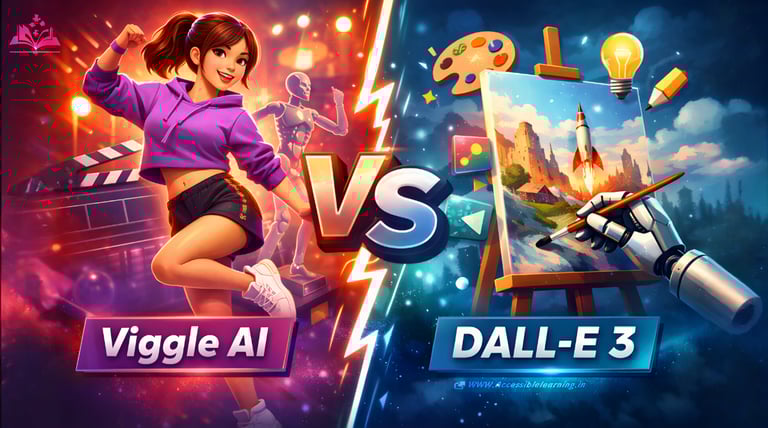
Emerging AI Tools Designers Should Watch
The next generation of design tools will focus on real-time AI assistance and creative collaboration. Future tools are expected to include:
AI tools that generate complete brand identities
Real-time prompt-to-design interfaces
AI systems that understand design principles automatically
Smart assistants that help with typography, color theory, and layout balance
Designers who learn to combine creative thinking with AI tools will be able to work faster, explore more ideas, and produce more innovative designs.
Limitations of AI in Graphic Design
Despite its capabilities, AI still has limitations.
Consistency issues: AI may produce inconsistent results across multiple images.
Creative control challenges: Precise details can sometimes be difficult to achieve with prompts alone.
Ethical and copyright concerns: Designers must be mindful of licensing and dataset transparency.
Need for human refinement: AI-generated visuals often require editing and polishing.
Because of these factors, human creativity remains essential.
The Future of AI in Graphic Design
AI will continue to evolve and become more integrated with design software. In the future we can expect:
Real-time AI collaboration tools
Fully AI-assisted design workflows
Smarter prompt-based design systems
Personalized creative assistants for designers
Designers who learn how to use AI effectively will gain a significant advantage in the creative industry.
AI tools are transforming graphic design and illustration by making creativity faster, more accessible, and more experimental. Tools like Midjourney, Adobe Firefly, Canva AI, DALL·E, Runway ML, and Leonardo AI are helping designers generate ideas, create visuals, and streamline workflows.
However, the most powerful designs still come from the combination of human creativity and AI assistance. Designers who embrace these tools as creative partners rather than replacements will be able to push their work further than ever before. AI is not the end of design. It is the beginning of a new creative era.

FAQ's
Q: What are AI tools for graphic design and illustration?
AI tools for graphic design and illustration are software platforms that use artificial intelligence to assist in creating visuals, artwork, layouts, and design elements. These tools can generate images from text prompts, automate editing tasks, enhance photos, and help designers explore creative ideas quickly. They are widely used for illustrations, branding, social media graphics, and concept art.
Q: How do AI design tools help graphic designers?
AI design tools help designers by speeding up workflows and reducing repetitive tasks. They can generate visual concepts, remove backgrounds, upscale images, suggest layouts, and assist with color selection. This allows designers to focus more on creativity and less on time-consuming technical work.
Q: Can AI replace graphic designers?
AI cannot fully replace graphic designers. While AI can generate images and automate certain tasks, it still lacks human creativity, strategic thinking, storytelling ability, and brand understanding. Designers play an important role in guiding the creative process, refining visuals, and making design decisions that align with project goals.
Q: What are the best AI tools for graphic design?
Some of the most widely used AI tools for graphic design include Midjourney, Adobe Firefly, Canva AI, DALL·E, Leonardo AI, Runway ML, and Stable Diffusion. These tools are popular for creating illustrations, generating design ideas, editing images, and producing high-quality visual content.
Q: Are AI-generated images copyright safe?
Copyright rules for AI-generated images vary depending on the tool and how the image is created. Some platforms allow commercial usage, while others have restrictions. Designers should always check licensing terms, platform policies, and usage rights before using AI-generated images for commercial projects.
Q: What skills should designers learn to use AI tools effectively?
To use AI tools effectively, designers should develop skills such as prompt writing, visual storytelling, composition, color theory, and editing techniques. Understanding traditional design principles helps designers refine AI-generated visuals and create professional results.
Q: How can beginners start using AI for graphic design?
Beginners can start by using simple AI design platforms that provide built-in templates and prompt-based image generation. Experimenting with text prompts, editing generated visuals, and combining AI tools with traditional design software is a great way to learn and improve design skills.
Q: What types of projects can AI design tools be used for?
AI design tools can be used for many creative projects, including social media graphics, book covers, concept art, character design, brand visuals, website illustrations, marketing materials, and digital artwork. They are also useful for brainstorming and developing visual concepts.
Q: What are the limitations of AI in graphic design?
AI tools may sometimes produce inconsistent images, inaccurate details, or visuals that need manual editing. They also rely heavily on prompt descriptions, which means the results may vary. Because of this, designers often need to refine AI-generated outputs using professional design software.
Q: What is the future of AI in graphic design and illustration?
The future of AI in graphic design will likely include smarter design assistants, real-time AI collaboration tools, automated branding systems, and advanced image generation models. AI will continue to support designers by improving productivity and expanding creative possibilities, while human creativity remains essential.
Subscribe to Frontier Intelligence
All © Copyright reserved by Accessible-Learning Hub
| Terms & Conditions
Accessible Learning Hub — Actionable clarity for high-agency minds.
Weekly breakdowns on AI breakthroughs, capital flow, and human performance systems. Zero fluff.